Experiment
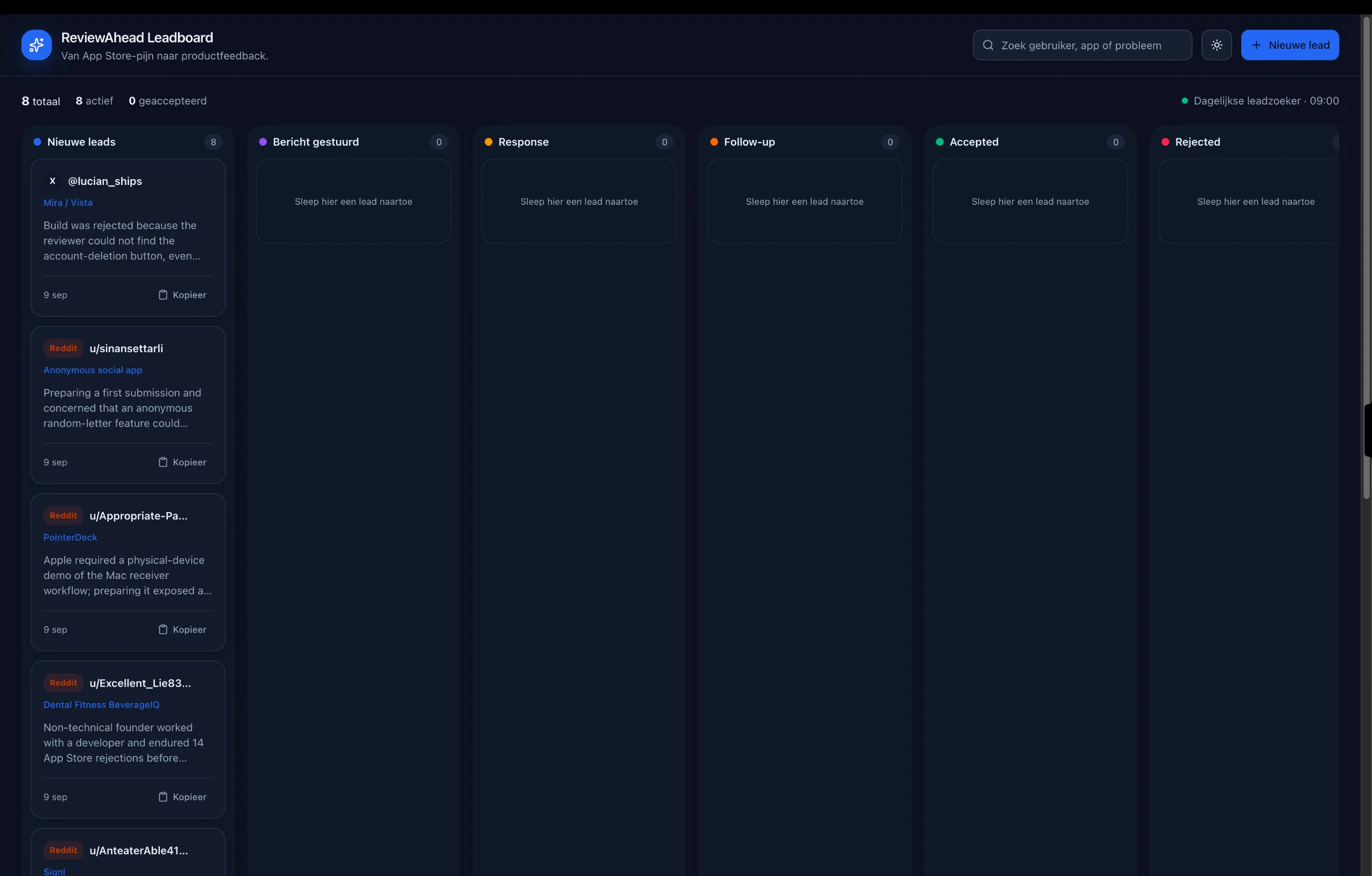
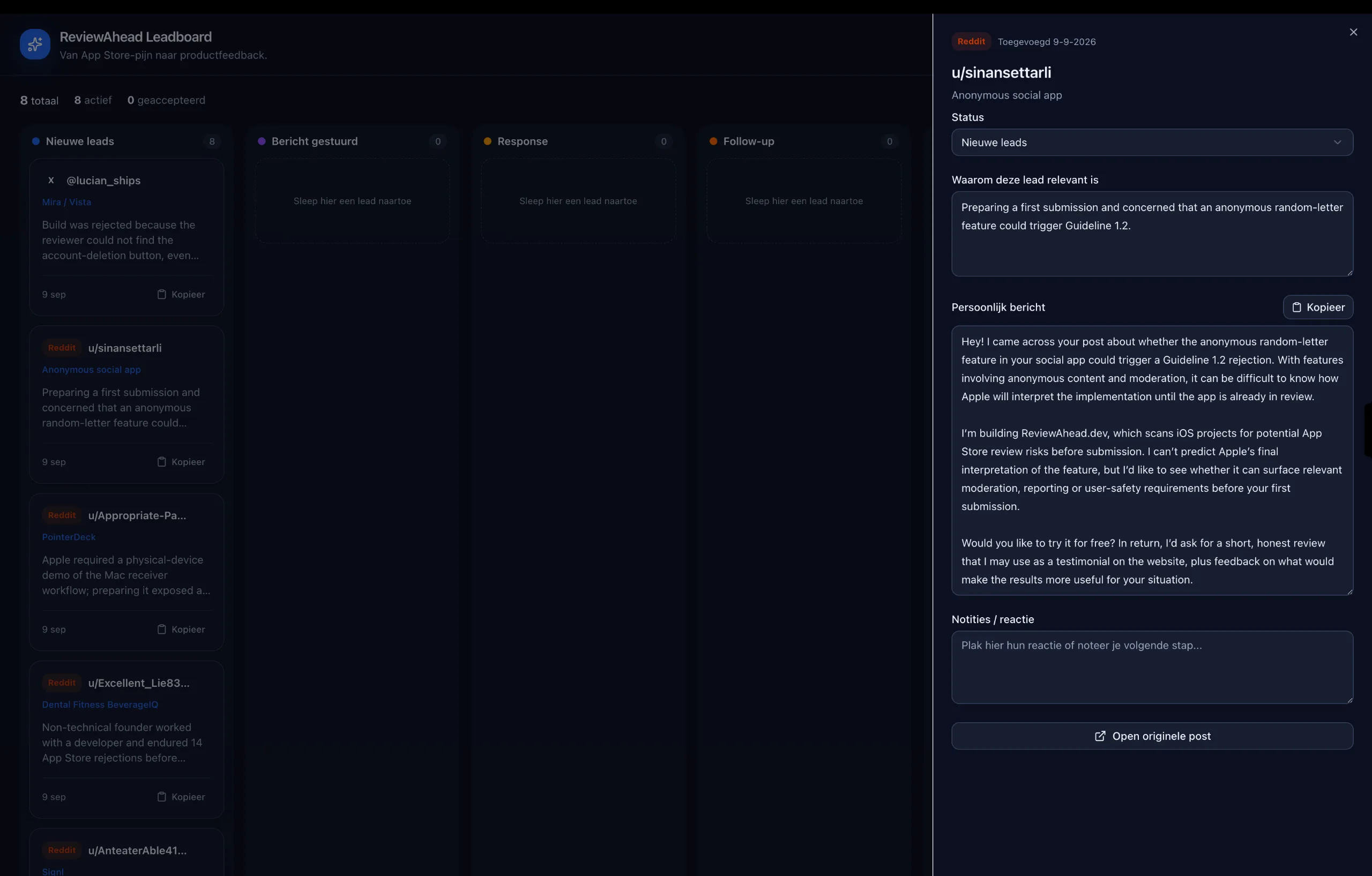
Made myself a little website with ChatGPT so it can automatically find leads on ReviewAhead!
I set a automation on everyday at 9 am to search for leads and it will update the website with the leads. It shows the username, message, response to send out as cold lead and a little kanban board so i can drag and drop it to have a clear overview of what im doing! If you need the prompt for this (might also work with claude as an artifact and schedular, but not sure), here it is: @sites Create a Kanban-style website for managing leads. Each lead card should display the username, message, and current stage in the outreach process. Also add a dark mode toggle with dark mode theme. Use the following columns: - New Leads - Message Sent - Response Received - Follow-Up - Accepted - Rejected Allow leads to be moved easily between columns so I can track their progress. Set up a daily automation that runs every morning at 9:00 AM. It should find new leads, add them to the “New Leads” column, and update existing leads on the website when their status changes. Lmk if this would be useful for you too! Happy to share and learn ^^
Media
- Reactions
- 0
- Comments
- 8
- Shares
- 0
Public discussion
Shiv Krishna Yadav
thanx for sharing this one bro!! can i get the link to the site?
Richie Shammah
how are you deciding which leads are worth adding in the first place? The automation finding leads is useful, but the filtering/qualification step could probably make an even bigger difference.
Uriel Bitton
nice looks great man !