Productivity
SpendMyDay
Track and spend your time like it was money.
- Category
- Productivity
- Stage
- Beta
- For
- People who want a simple, private way to track how they spend their time.
About
Our time is the most valuable resource we own. Why don't we track it like we do money? SpendMyDay was made to help people easily track and know where there time is going and help them spend it better.
Features
- Problem
- A list of activities alone does not show how they affect the day.
- How it works
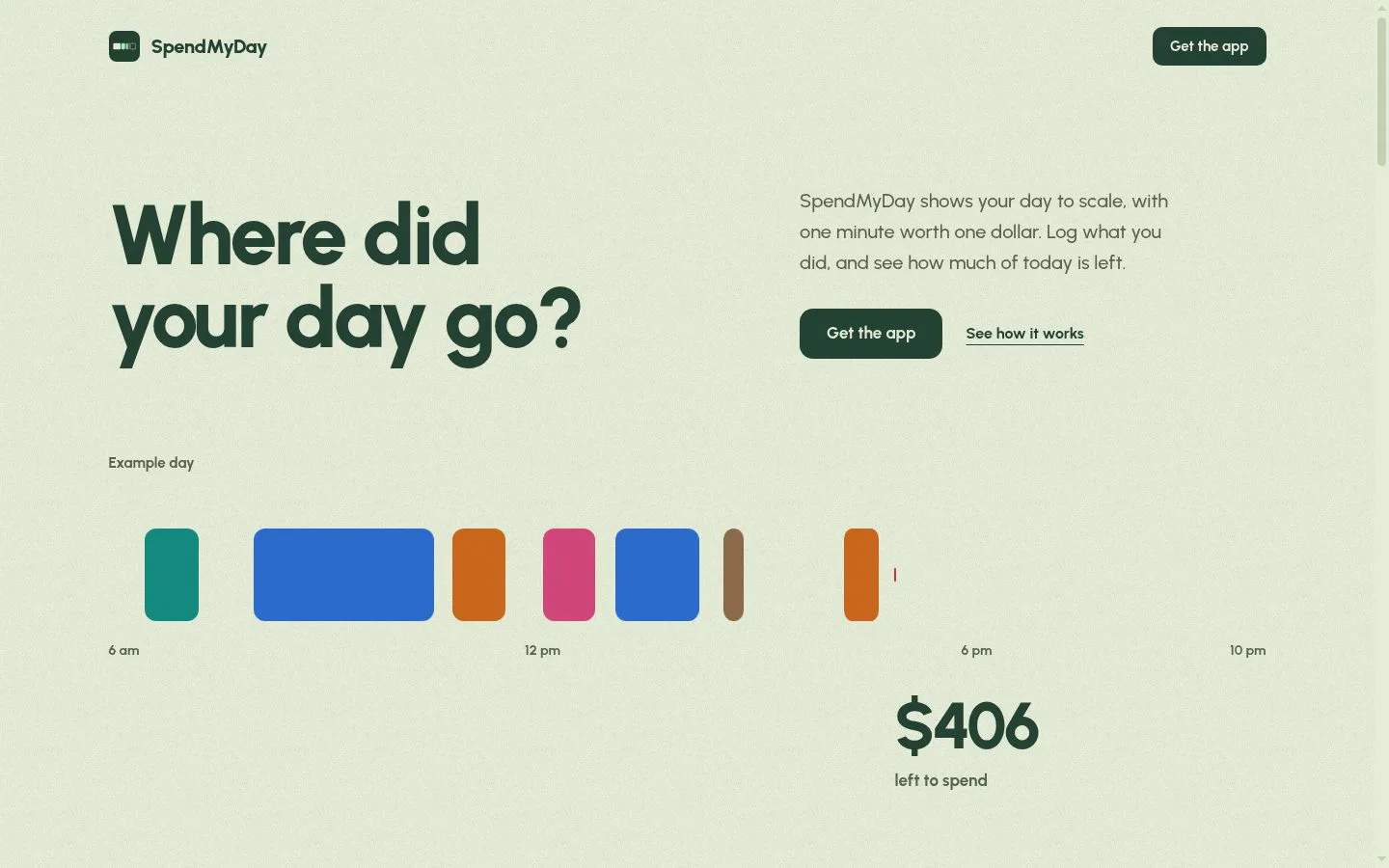
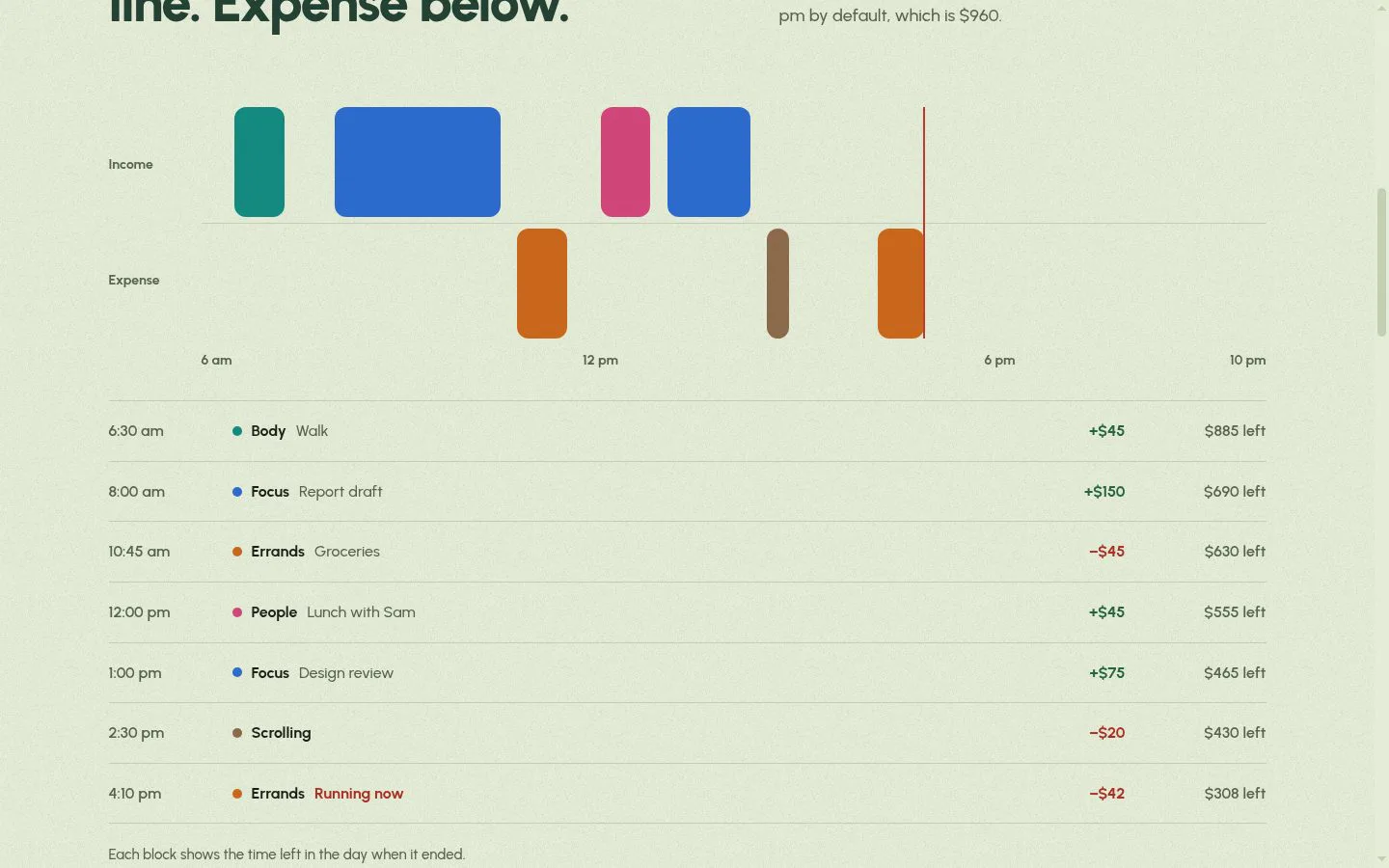
- Displays the day on a scale where one minute is worth one dollar, with Focus, People, Body, and Rest treated as income and Errands and Scrolling as expense.
- Result
- Users can see how much of the day is left and how each block changed that amount.
- Why
- The income-and-expense framing makes time use and remaining time visible at a glance.
- Problem
- Starting and stopping a timer can be inconvenient while doing an activity.
- How it works
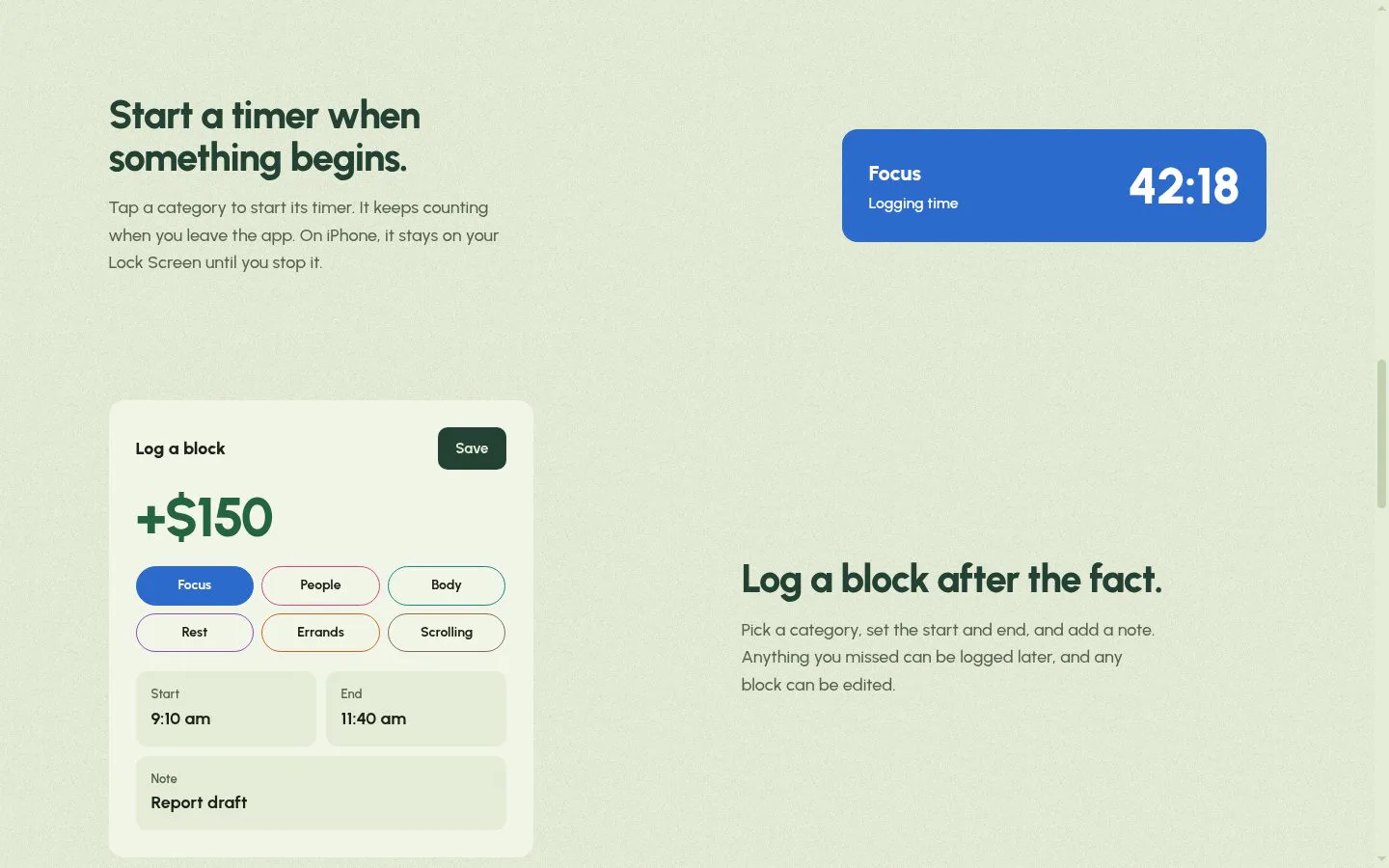
- Starts a timer when a category is tapped; it keeps counting when the user leaves the app and can remain on an iPhone Lock Screen until stopped.
- Result
- Users can record elapsed time without keeping the app open.
- Why
- A persistent timer makes it easier to track an activity as it happens.
- Problem
- Activities may be missed or need correction after the fact.
- How it works
- Lets users choose a category, set start and end times, add a note, and edit any block.
- Result
- Users can keep their time log complete and accurate.
- Why
- Flexible entry supports both later logging and corrections.
- Problem
- A daily log does not show patterns across the week.
- How it works
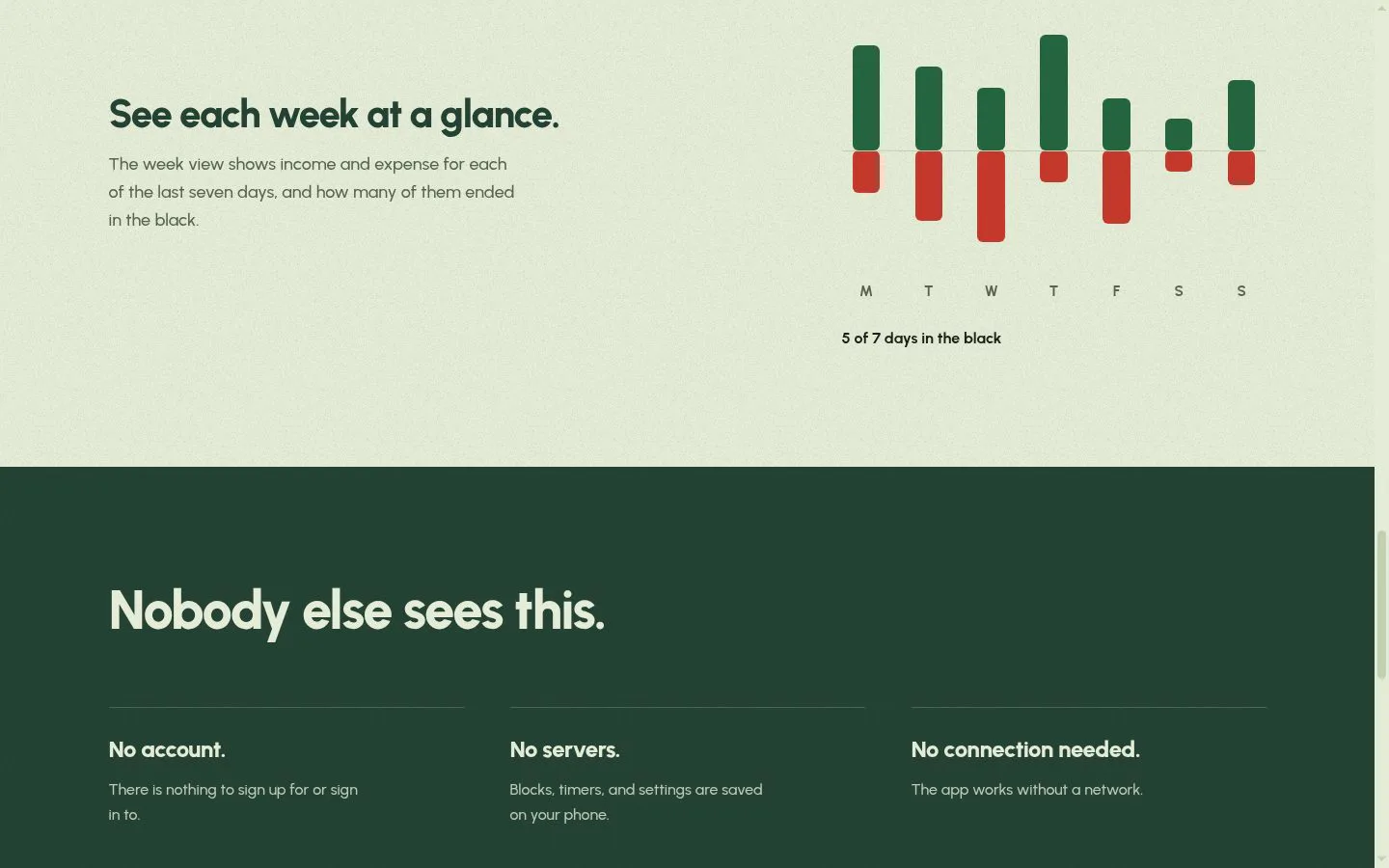
- Shows income and expense for each of the last seven days and how many ended in the black.
- Result
- Users can review their time balance across the week.
- Why
- A week-at-a-glance view makes recent patterns easier to compare.
- Problem
- People may not want to create an account or send personal activity data to a server.
- How it works
- Saves blocks, timers, and settings on the phone; requires no account or network connection.
- Result
- Users can track time privately without a connection.
- Why
- Local, offline use avoids sign-up and server requirements.
- Problem
- Setting up a tracker can delay getting started.
- How it works
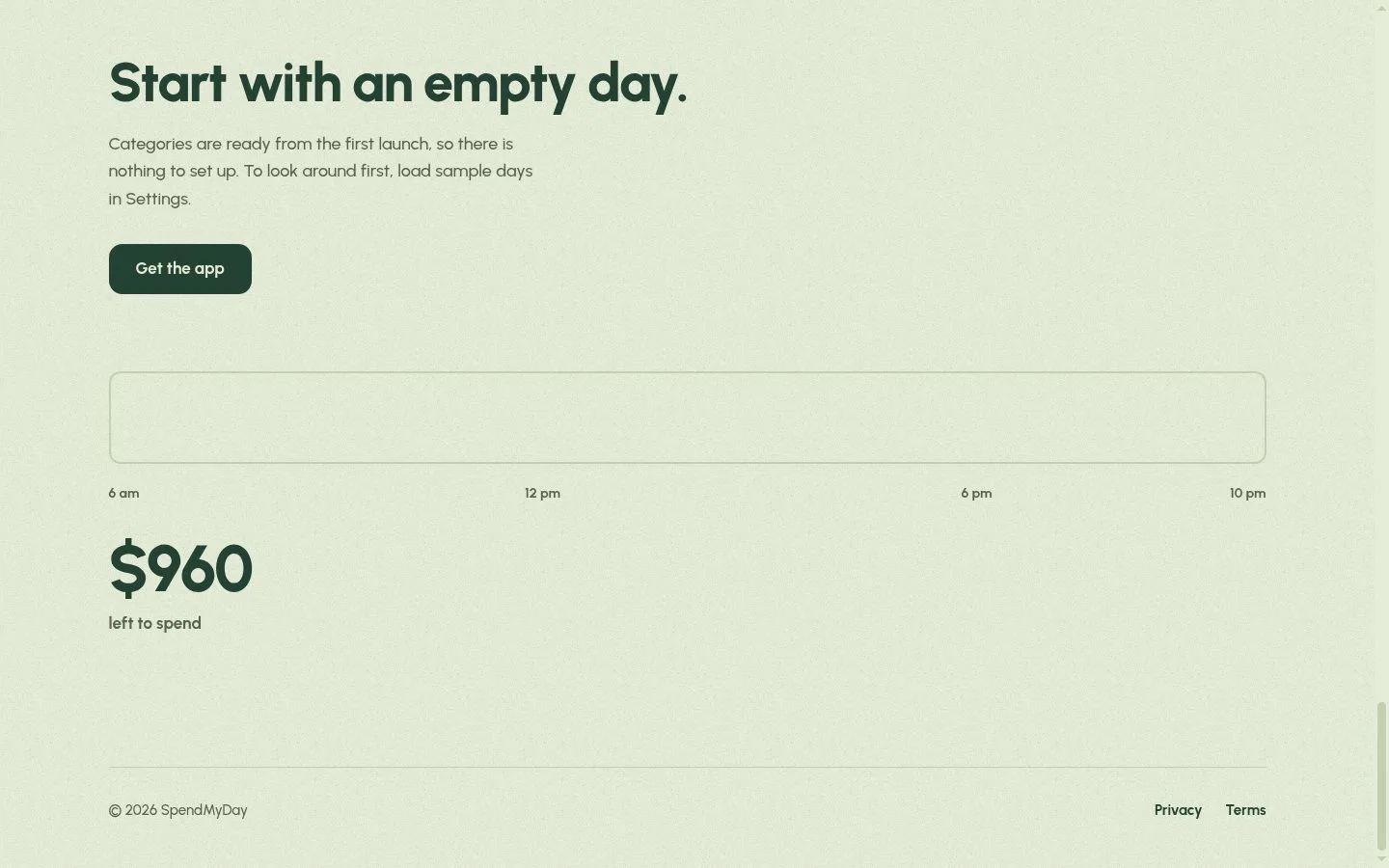
- Provides categories from the first launch and sample days in Settings.
- Result
- Users can begin logging or explore sample days right away.
- Why
- Ready-to-use categories and examples reduce initial setup.
Product questions
What does SpendMyDay do?
SpendMyDay is a private time tracker that turns logged activities into a visual account of how much of the day remains.
Who is SpendMyDay for?
People who want a simple, private way to track how they spend their time.
Screenshots