Games
LittleUs
Desktop pet for couples: their pixel pet lives on your screen and wakes when they sit down. Quiet presence for long-distance partners.
- Category
- Games
- Stage
- Pre-launch
- For
- Couoles, game lovers
About
Desktop pet for couples: their pixel pet lives on your screen and wakes when they sit down. Quiet presence for long-distance partners.
Features
- Problem
- Partners want to feel close without interrupting work.
- How it works
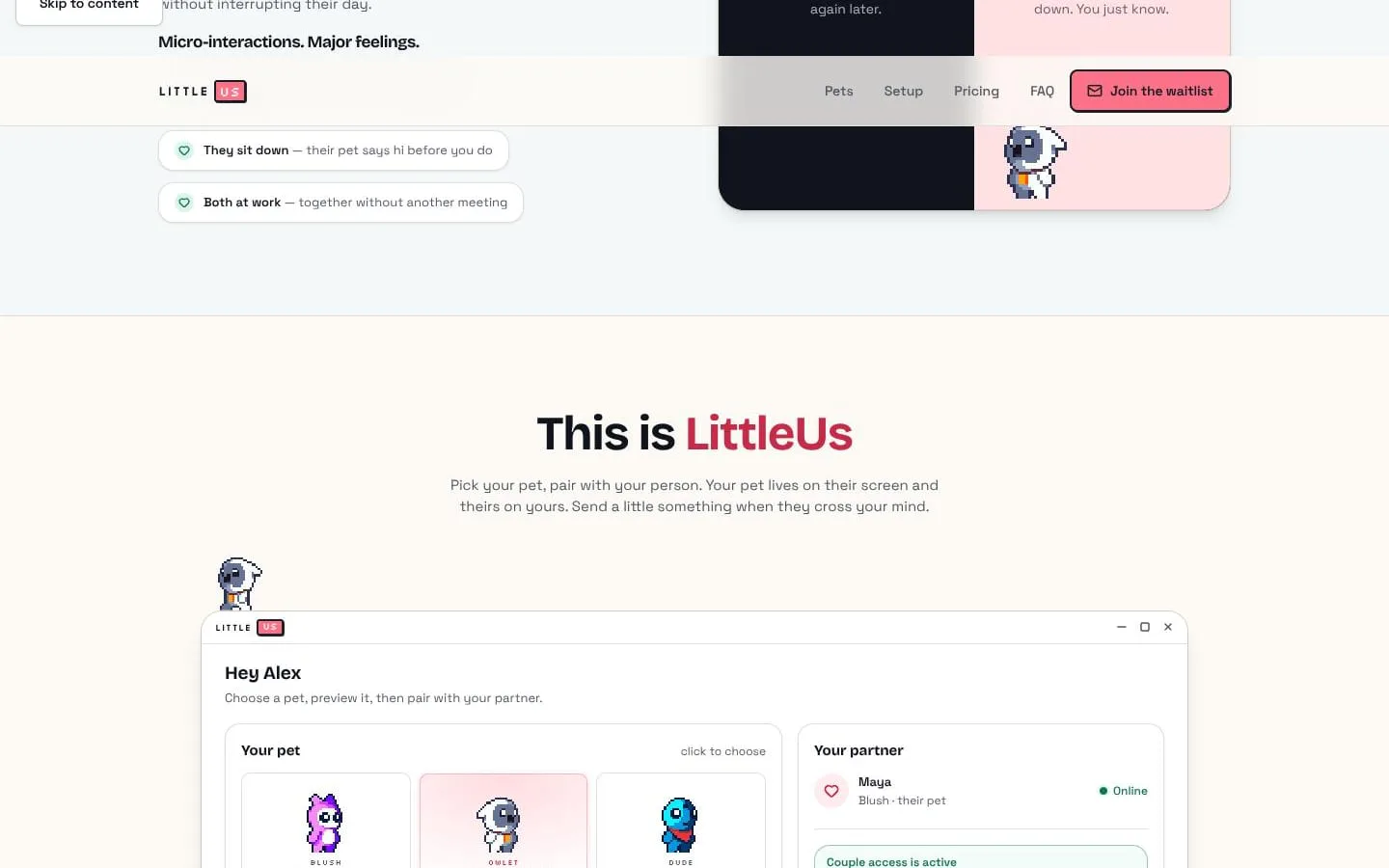
- A paired pet appears on each person’s desktop and wakes when the other person sits down.
- Result
- Users can feel their person nearby while they work.
- Why
- Turns desk presence into an ambient, glanceable signal.
- Problem
- Texting can feel like too much for small moments of connection.
- How it works
- Users can send reactions including kisses, nudges, dances, and notes.
- Result
- Couples can share small affectionate moments across their desktops.
- Why
- Makes it possible to acknowledge a partner with deliberate, lightweight interactions.
- Problem
- A generic companion lacks personality.
- How it works
- Users choose from three pixel pets—Blush, Owlet, and Dude—each with a distinct personality.
- Result
- The shared desktop experience feels more personal.
- Why
- Lets each person choose the pet their partner sees.
- Problem
- Two-person setup can create friction.
- How it works
- Each person signs in by email, activates a key, and pairs by account email.
- Result
- Partners can connect their pets across separate computers.
- Why
- The product is designed for a two-person connection with one purchase covering both keys.
- Problem
- Users may be concerned about desktop privacy.
- How it works
- LittleUs says it sends only login status and deliberate nudges; screens, chats, and files stay on-device.
- Result
- Users can use the app with stated limits on what leaves their machine.
- Why
- Presence works without capturing or uploading personal desktop content.
- Problem
- A desktop companion may become distracting.
- How it works
- The pet is a small overlay that can be dragged to a corner, hidden with a shortcut, or clicked to tumble.
- Result
- Users can control when the pet is visible or quiet.
- Why
- It is intended to stay out of the way during work.
Product questions
What does LittleUs do?
LittleUs is a desktop pixel-pet app for two people that creates a quiet sense of presence across their screens.
Who is LittleUs for?
Couoles, game lovers
Screenshots