Education
StudyVisually
Turn PDFs and notes into flashcards and step-by-step diagrams with AI.
- Category
- Education
- Stage
- Growth
- For
- School and university students, professionals preparing for exams or learning new skills, and teachers creating study decks for their classes.
- Platforms
- Web, iOS (installable web app), Android (installable web app)
- Pricing
- Free plan available. Basic $4/month, Premium $8/month.
About
Turn PDFs and notes into flashcards and step-by-step diagrams with AI. FSRS brings each card back right before you forget it. Free, start without an account.
Use cases
- Turn lecture notes into flashcards
- Make a study deck from a PDF or textbook photo
- Prepare for exams like the SAT, ACT and IELTS
- Practise job interview questions out loud
- Learn a new language or subject step by step
- Teachers sharing decks with a class
Features
- Problem
- Learners have material in different formats and need to convert it into study resources.
- How it works
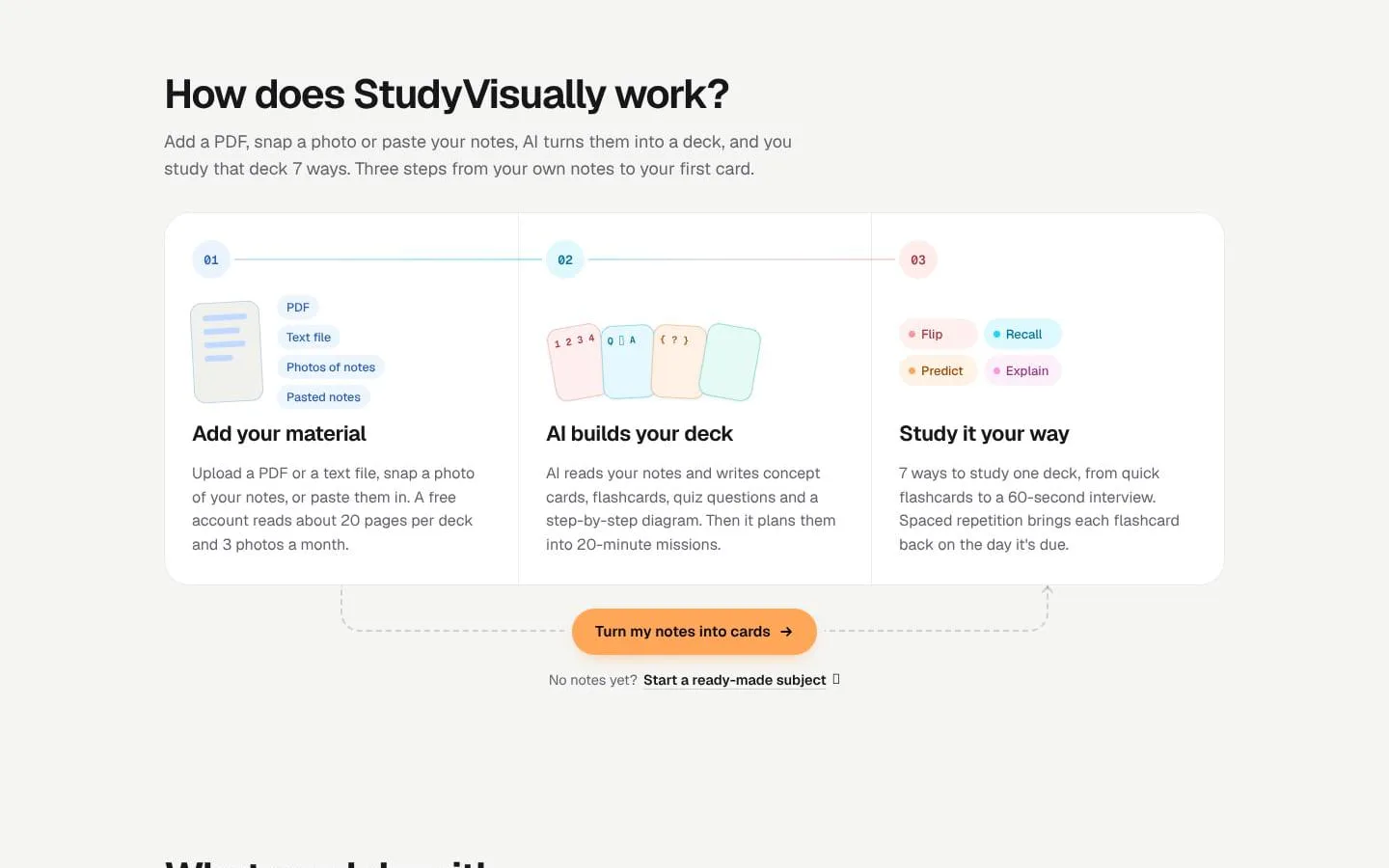
- Accepts PDFs, text files, photos of notes, and pasted notes; AI creates concept cards, flashcards, quiz questions, and step-by-step diagrams.
- Result
- A study deck organized into parts and ready for several study modes.
- Why
- Converts source material into multiple forms of practice without requiring learners to write every card manually.
- Problem
- Rereading alone may not reveal what a learner can recall or explain.
- How it works
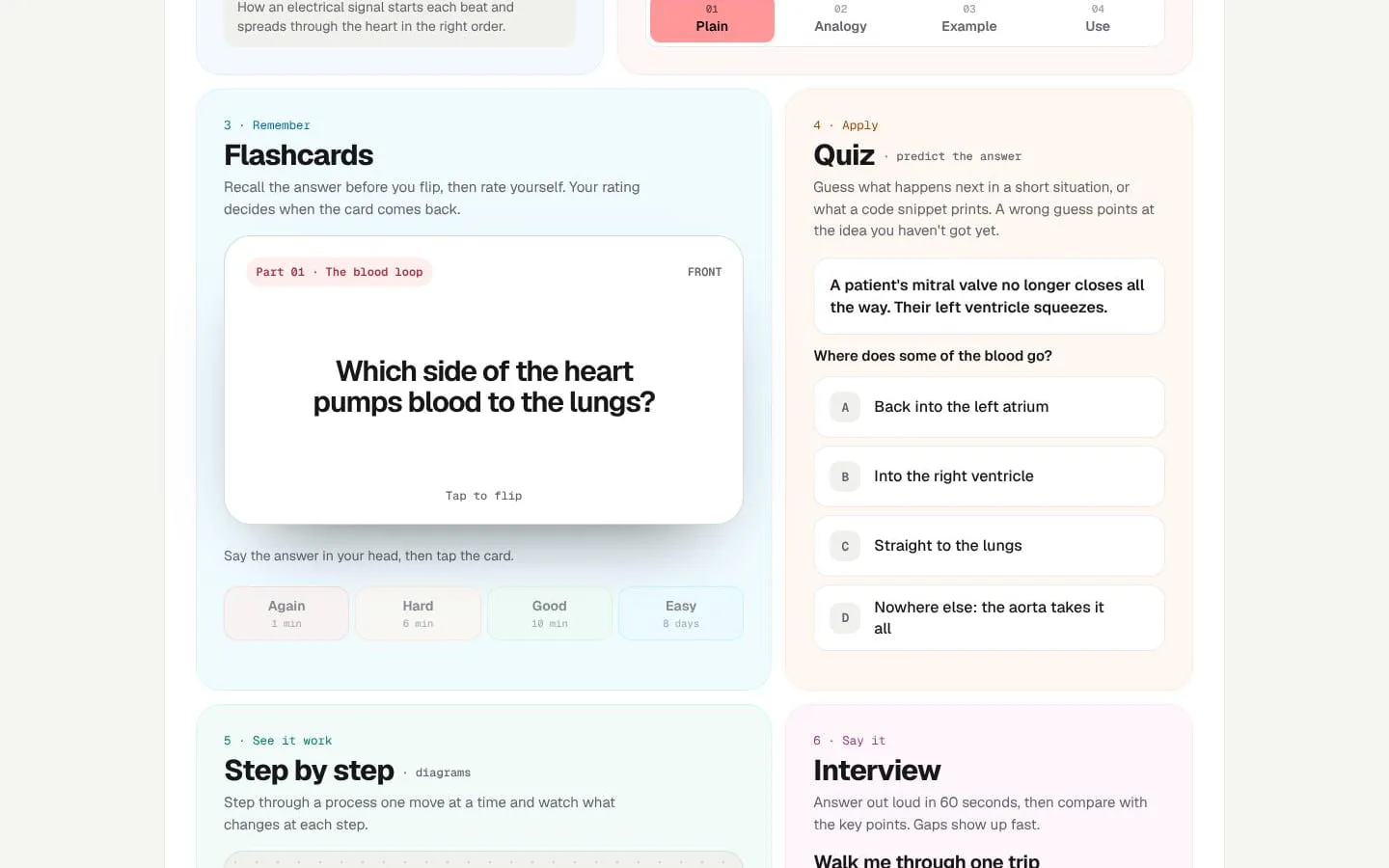
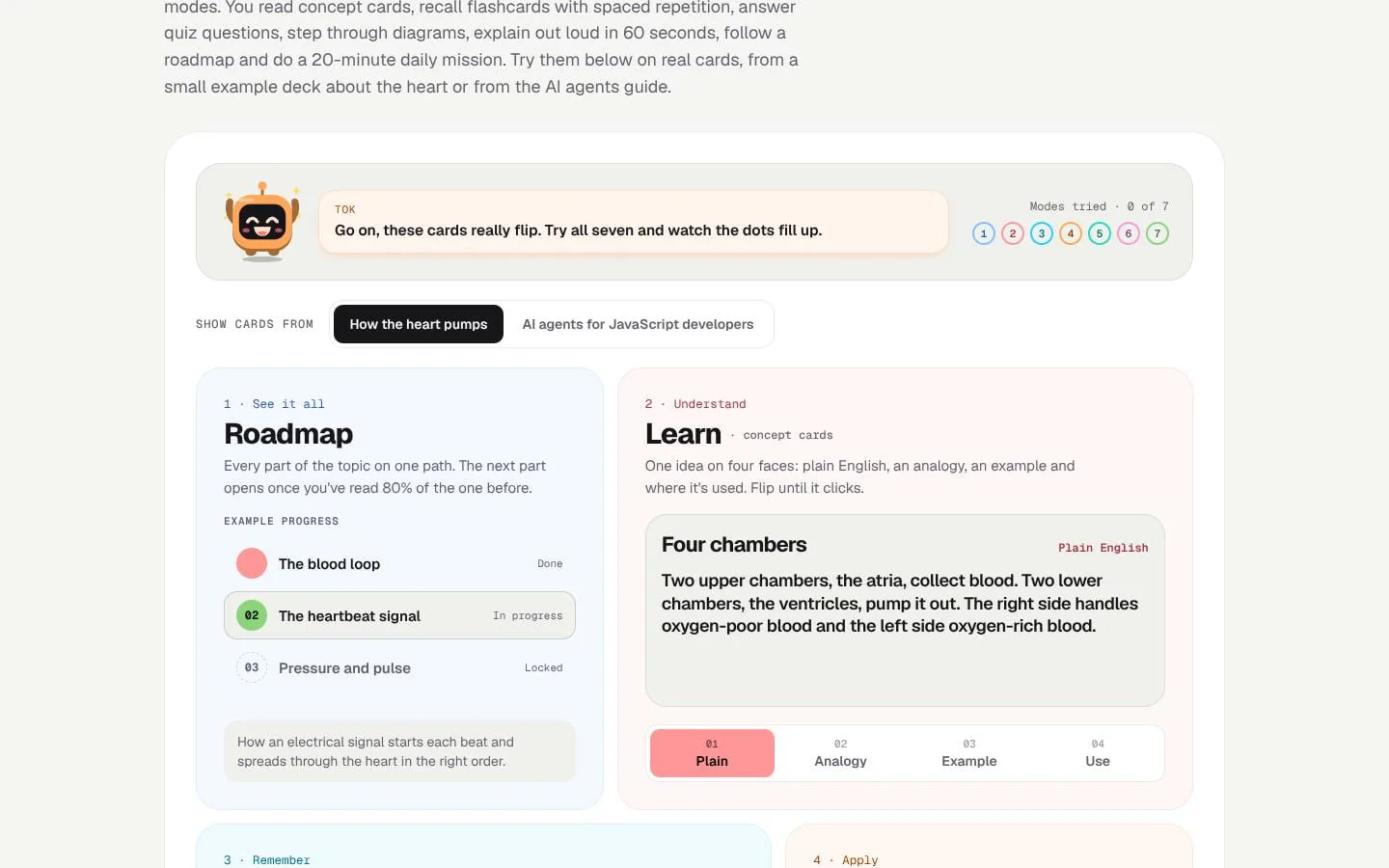
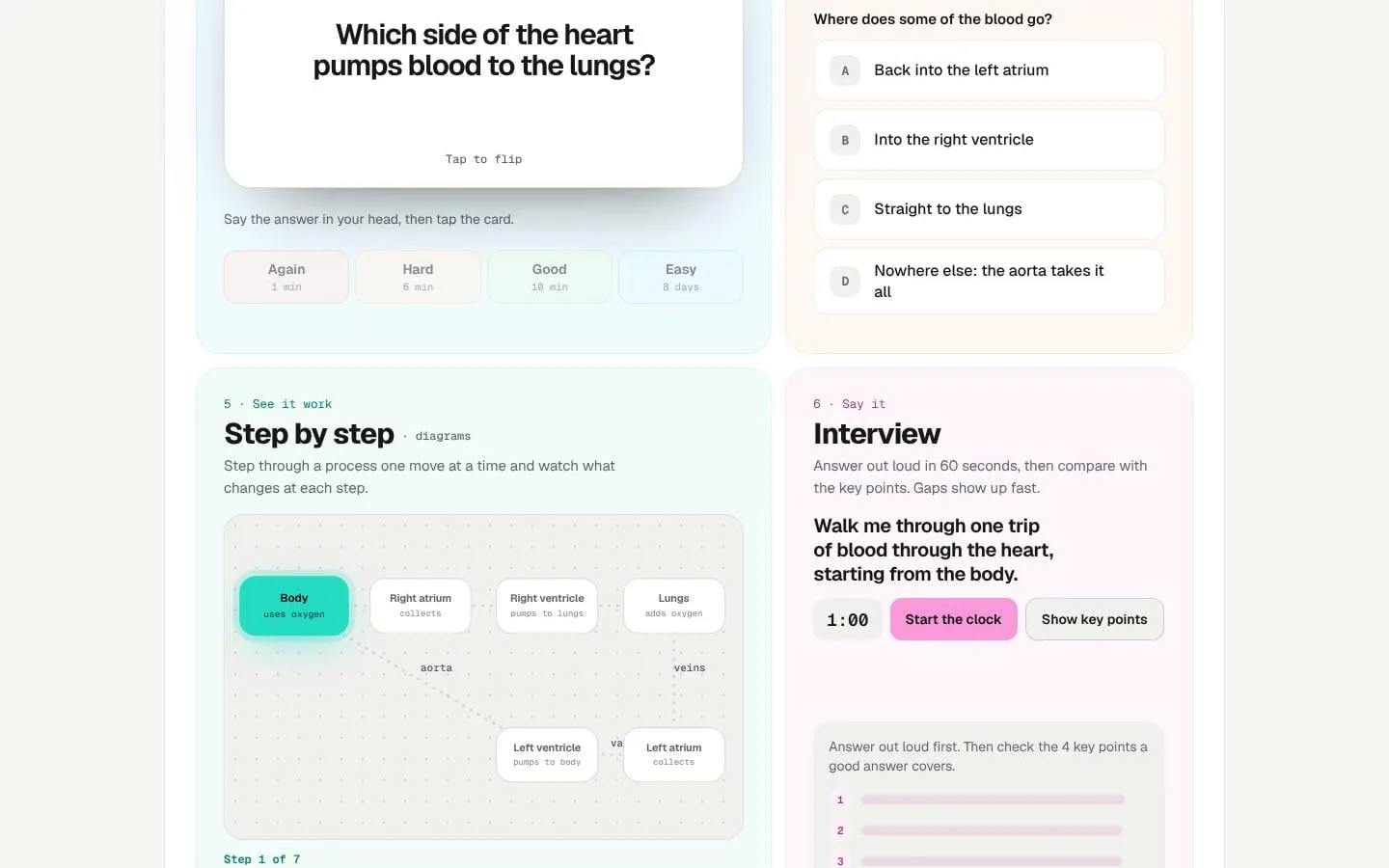
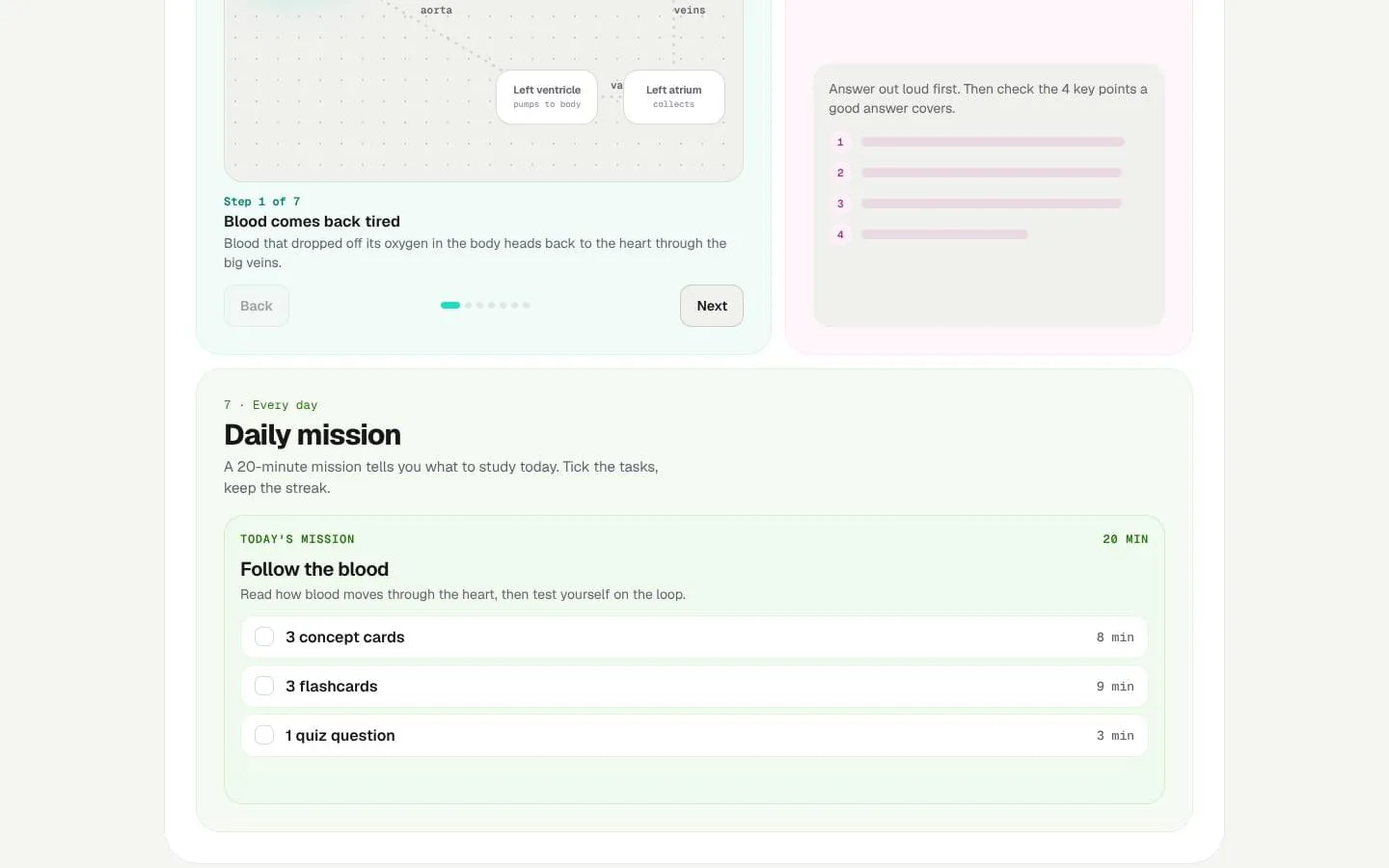
- Offers seven modes: Roadmap, Learn, Flashcards, Quiz, Step by step, Interview, and Daily mission.
- Result
- Learners can practice the same deck in different ways and identify topics that need more work.
- Why
- Combines understanding, recall, prediction, process walkthroughs, and explaining ideas in learners’ own words.
- Problem
- Learners may forget material without a review schedule.
- How it works
- Uses FSRS to schedule flashcard reviews based on self-ratings; missed cards return sooner and well-known cards return later.
- Result
- A review queue that adapts to how well each card is remembered.
- Why
- Spaces retrieval practice according to estimated recall rather than requiring learners to plan every review.
- Problem
- It can be difficult to know what to study next or keep sessions manageable.
- How it works
- Creates a daily mission of about 20 minutes, mixing tasks such as learning concept cards, reviewing flashcards, and answering quiz questions.
- Result
- A clear set of study tasks for the day.
- Why
- Turns a deck into a concrete, time-bounded study plan.
- Problem
- Learners and teachers may need material in different languages or shared access to decks.
- How it works
- Writes cards in the source language or a selected supported language; teachers can share a class deck by link and see aggregate class progress.
- Result
- Study materials can be used across languages and shared with a class.
- Why
- Supports multilingual study and classroom use without requiring every student to create a deck.
What makes it different
- Study each deck 7 ways, not just flashcards
- Try it free with no account
- Make decks from photos of textbook pages
- Spaced repetition brings cards back right before you forget
- Works offline once installed on your phone
- Available in English, Spanish, Portuguese, French and German
Product questions
What does StudyVisually do?
StudyVisually turns PDFs, text files, photos of notes, and pasted material into study decks, then helps learners study each deck through seven modes. It also offers ready-made subjects and lessons.
Who is StudyVisually for?
School and university students, professionals preparing for exams or learning new skills, and teachers creating study decks for their classes.
How much does StudyVisually cost?
Free plan available. Basic $4/month, Premium $8/month.
Which platforms does StudyVisually support?
- Web
- iOS (installable web app)
- Android (installable web app)
What can I use StudyVisually for?
- Turn lecture notes into flashcards
- Make a study deck from a PDF or textbook photo
- Prepare for exams like the SAT, ACT and IELTS
- Practise job interview questions out loud
- Learn a new language or subject step by step
- Teachers sharing decks with a class
What makes StudyVisually different?
- Study each deck 7 ways, not just flashcards
- Try it free with no account
- Make decks from photos of textbook pages
- Spaced repetition brings cards back right before you forget
- Works offline once installed on your phone
- Available in English, Spanish, Portuguese, French and German
Screenshots