Marketing tools
ContentForge Studio
A full video and content editor that runs entirely in your browser, with timeline, captions and background removal built in.
- Category
- Marketing tools
- Stage
- Growth
- For
- Solo creators, small businesses and social media managers who want to edit video, add captions, remove image backgrounds and record voiceovers in the browser.
About
Edit video, record voiceovers and add captions in your browser. Multi-track timeline, instruments and piano roll, background removal and a 3D viewer. Free to start, with nothing to install.
Features
- Problem
- Starting a project with the wrong canvas dimensions can add setup work.
- How it works
- Offers ready-sized canvases for Reels, square posts, 16:9 video and posters.
- Result
- Creators can begin with a canvas sized for a common output format.
- Why
- The landing page presents these formats as quick-start options.
- Problem
- Video, image and audio elements need to be arranged within a project.
- How it works
- Provides a timeline, canvas layers and tracks for video, visuals, text overlays, music, voiceover, sound effects and audio.
- Result
- Project elements can be organized in a single editing workspace.
- Why
- The editor interface displays these editing areas and track types.
- Problem
- Creators need to bring existing work and media into the editor.
- How it works
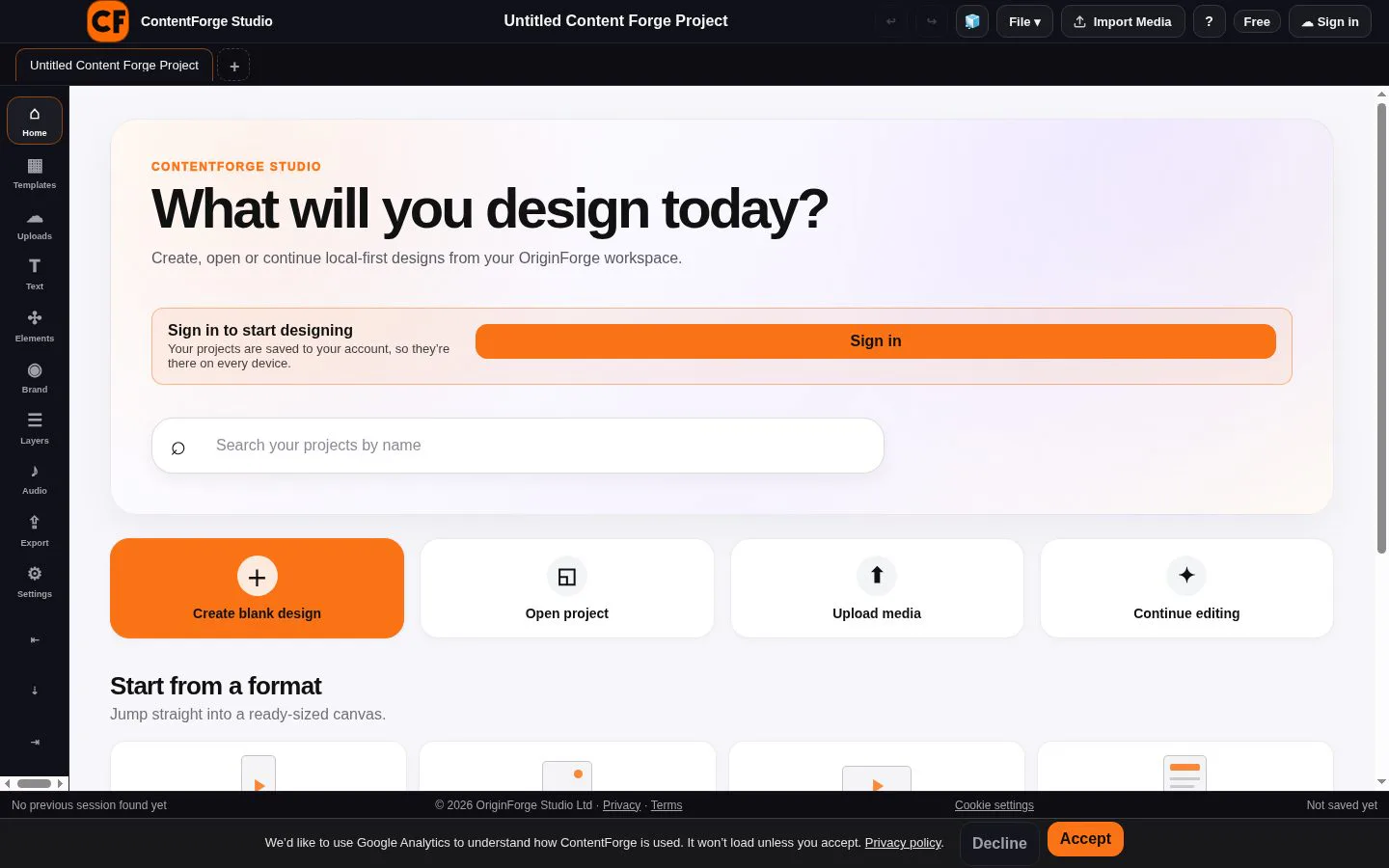
- Offers options to create a blank design, open a project, upload media or continue editing.
- Result
- Users can start a new project or pick up work from an existing file or session.
- Why
- These actions are shown on the landing page.
- Problem
- Projects saved only during an editing session may be difficult to resume.
- How it works
- Auto-saves local sessions; signed-in projects are saved to an account and can be opened on other devices.
- Result
- Users can resume local work and, when signed in, access synced projects across devices.
- Why
- The landing page mentions auto-saved local sessions, and the privacy policy describes account cloud sync.
- Problem
- Removing an image background can require a separate tool.
- How it works
- Runs the background-removal cutout in the browser using model files downloaded from IMG.LY; images are not uploaded for the cutout.
- Result
- Users can remove backgrounds without sending the image to IMG.LY.
- Why
- The privacy policy describes the background remover’s browser-side processing.
Product questions
What does ContentForge Studio do?
ContentForge Studio is a browser-based editor for creating video, image and audio content, with a canvas, timeline and layered tracks. Projects can be stored in the browser and, when signed in, synced to an account.
Who is ContentForge Studio for?
Solo creators, small businesses and social media managers who want to edit video, add captions, remove image backgrounds and record voiceovers in the browser.
Screenshots