Productivity
Undertone
A Mac meeting assistant that explains acronyms, project names and context live on your calls.
- Category
- Productivity
- Stage
- Pre-launch
- For
- Knowledge workers on Mac who spend their day in meetings — new hires, PMs, engineers and cross-functional teams using Slack, Notion and Jira.
About
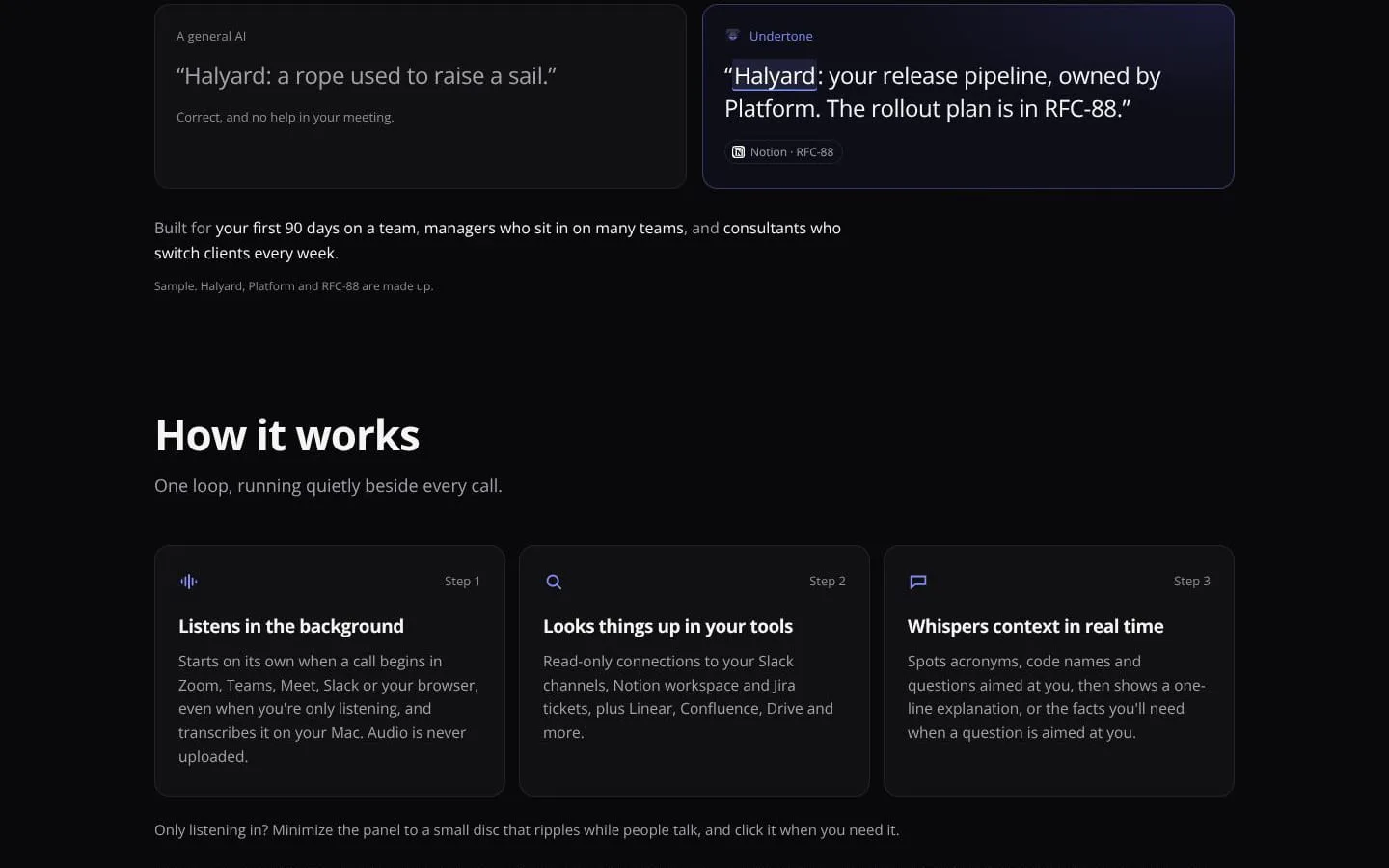
Stay in the conversation. Know the context. Undertone explains acronyms, decodes project names and surfaces relevant facts while you're on a call, using context from your team's Slack, Notion and Jira. Afterwards, get a clear recap, your follow-ups and a briefing for the next meeting. Calls are transcribed on your Mac.
Features
- Problem
- Unfamiliar acronyms and project names interrupt understanding during calls.
- How it works
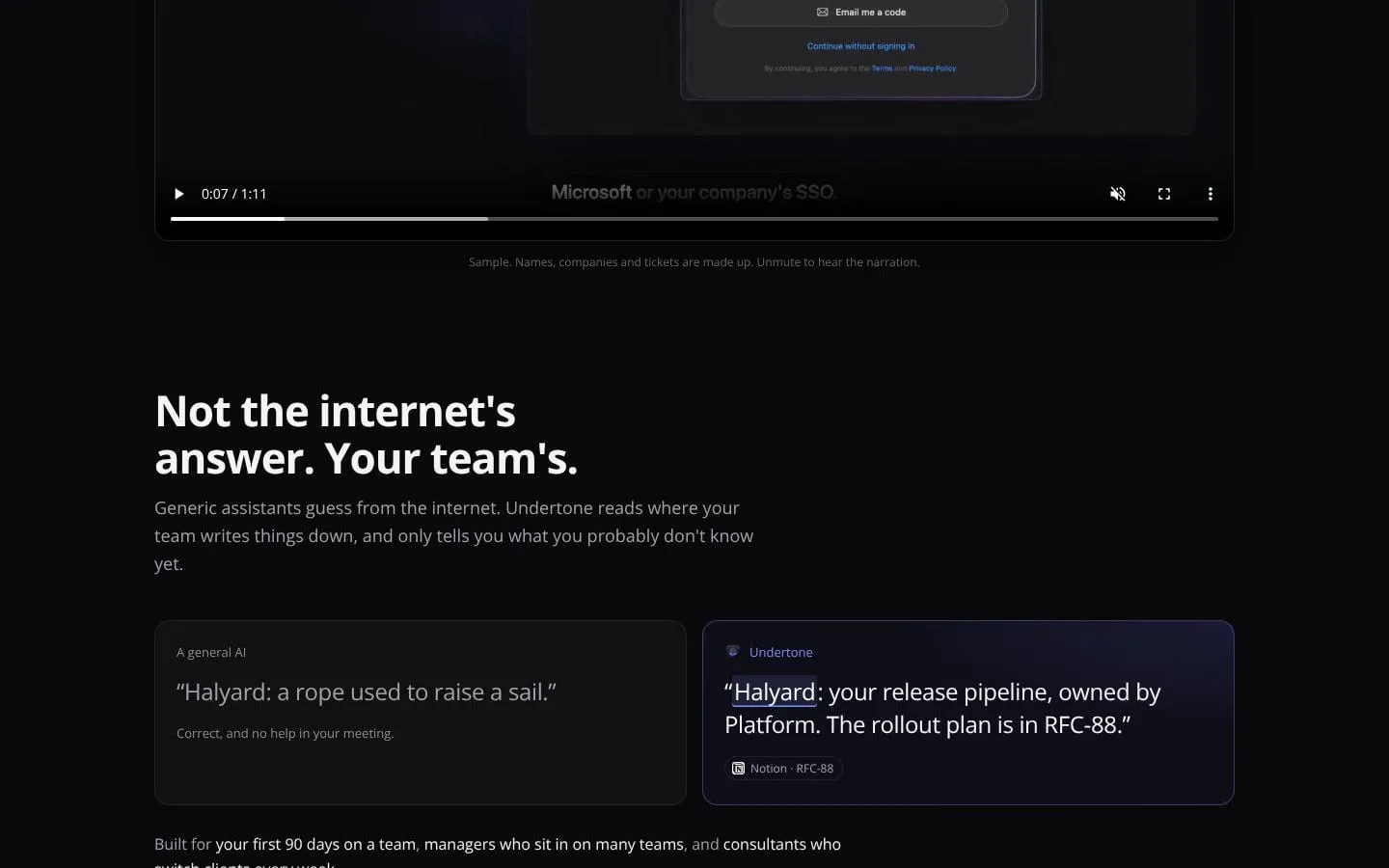
- Detects terms and questions during meetings, then shows concise explanations and relevant facts sourced from connected tools.
- Result
- Users can follow the discussion and respond with more relevant information.
- Why
- Team-specific context is more useful than a generic definition.
- Problem
- Meeting preparation requires piecing together past discussions, tasks, and source material.
- How it works
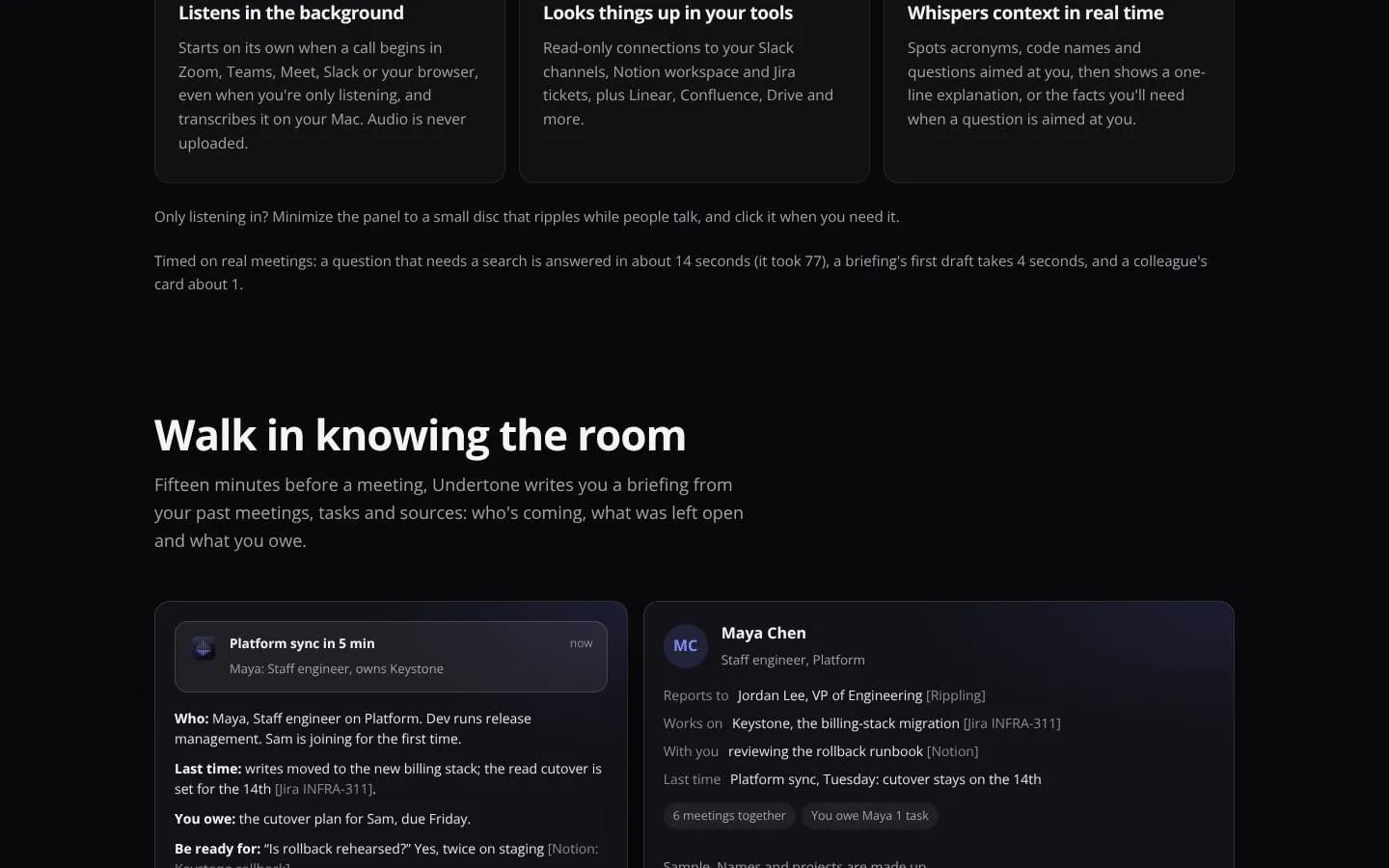
- Creates a pre-meeting briefing with attendees, prior open topics, user follow-ups, and likely questions.
- Result
- Users can start meetings with relevant background and outstanding commitments in view.
- Why
- Gathering context before the call helps users arrive prepared.
- Problem
- Important decisions and follow-ups are easy to lose after a meeting.
- How it works
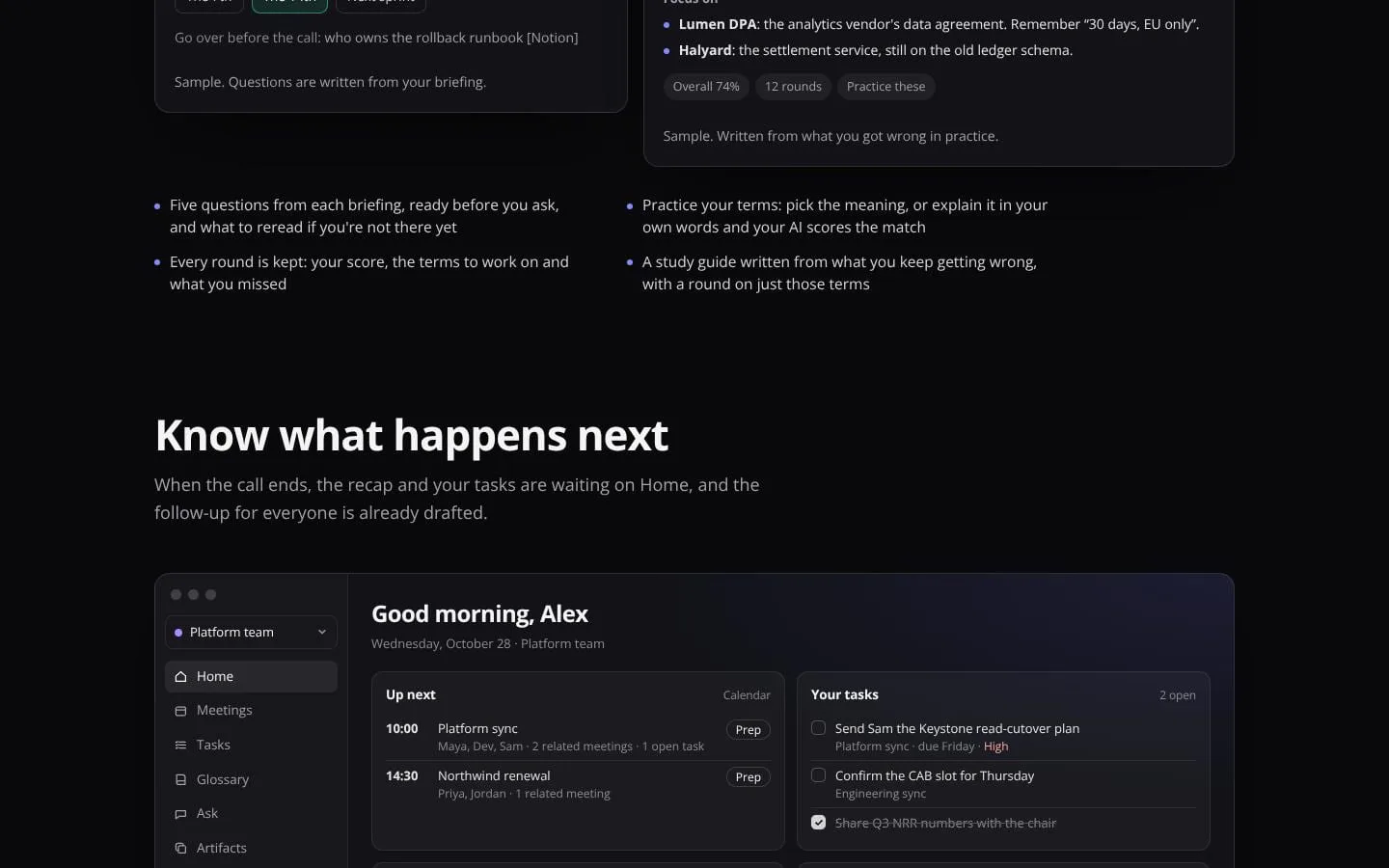
- Provides recaps, personal tasks, draft follow-ups, and searchable meeting answers.
- Result
- Users can review what was said and act on next steps; drafts are not sent automatically.
- Why
- Meeting information is more actionable when it is organized and easy to retrieve.
- Problem
- New team members may need repeated practice to learn team terminology.
- How it works
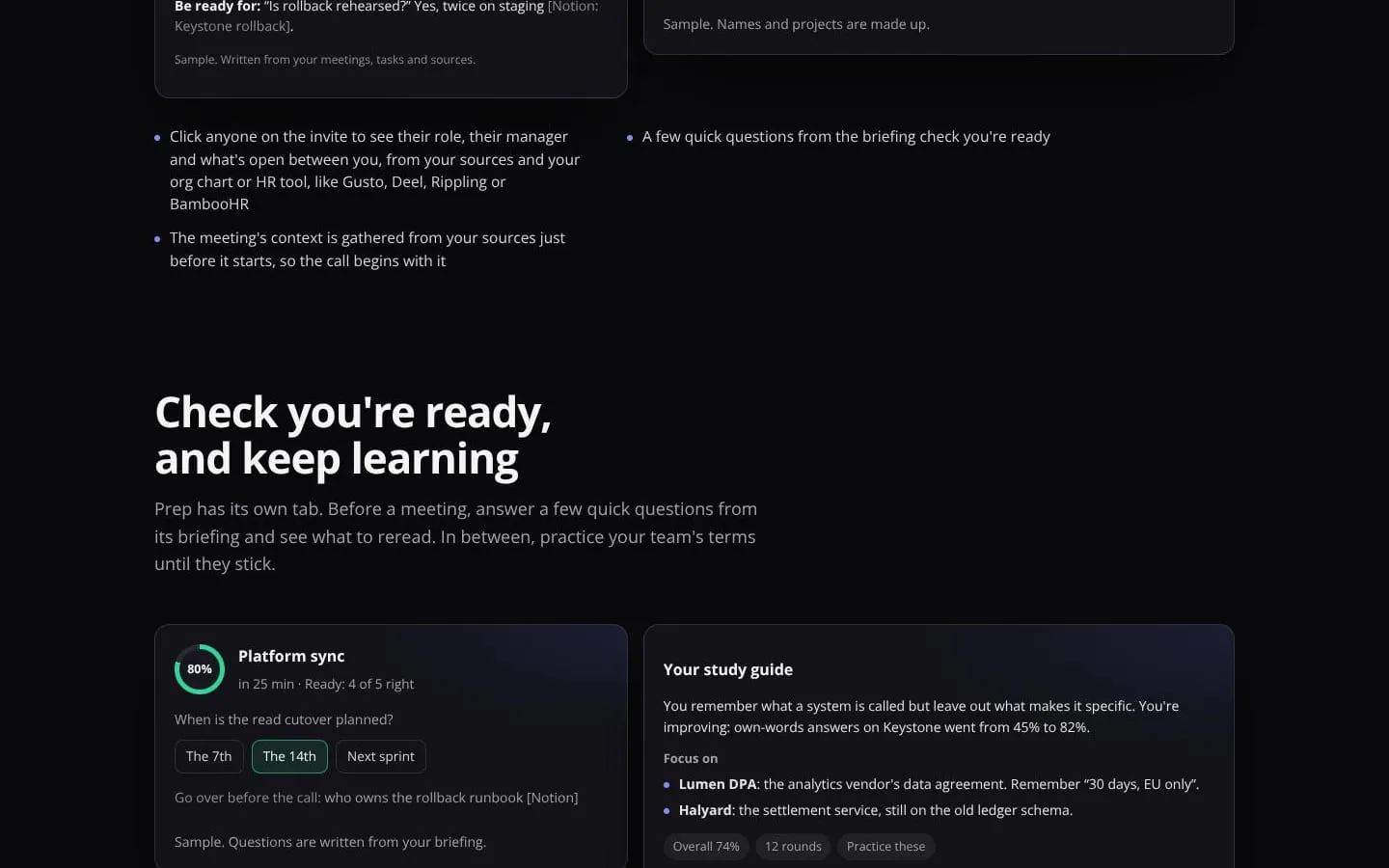
- Offers briefing-based readiness questions, terminology practice, and study guides based on missed answers.
- Result
- Users can identify what they know and what to review.
- Why
- Practice helps users retain definitions and contextual details.
- Problem
- Meeting context can be sensitive, and users may not want it shared automatically.
- How it works
- Transcribes and stores meeting materials on the Mac, uses read-only source connections, and shares team recaps only when the user chooses.
- Result
- Users can use meeting assistance while retaining control over what leaves their Mac.
- Why
- Local handling and explicit sharing give users control over meeting information.
Product questions
What does Undertone do?
Undertone is a Mac meeting assistant that transcribes calls on your Mac, explains team-specific terminology using connected work sources, and provides meeting context, recaps, and follow-ups.
Who is Undertone for?
Knowledge workers on Mac who spend their day in meetings — new hires, PMs, engineers and cross-functional teams using Slack, Notion and Jira.
Screenshots