Developer tools
MailWeave
Inbound email to signed webhooks
- Category
- Developer tools
- Stage
- Growth
- For
- Developers and product teams that need to route inbound email into applications through structured events and signed webhooks.
About
Turns inbound email into structured events and signed webhooks.
Features
- Problem
- Applications need a reliable way to turn incoming email into usable data.
- How it works
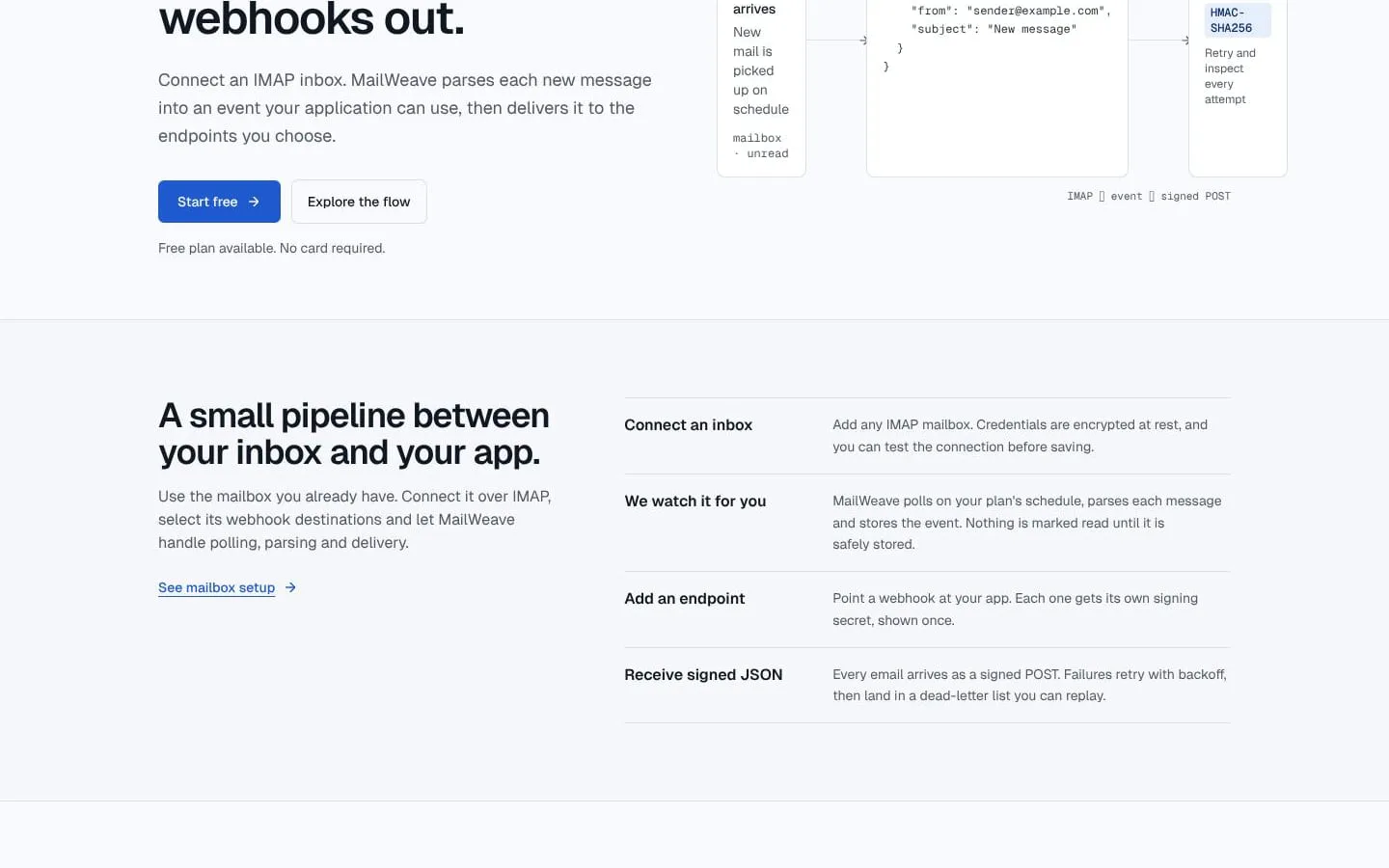
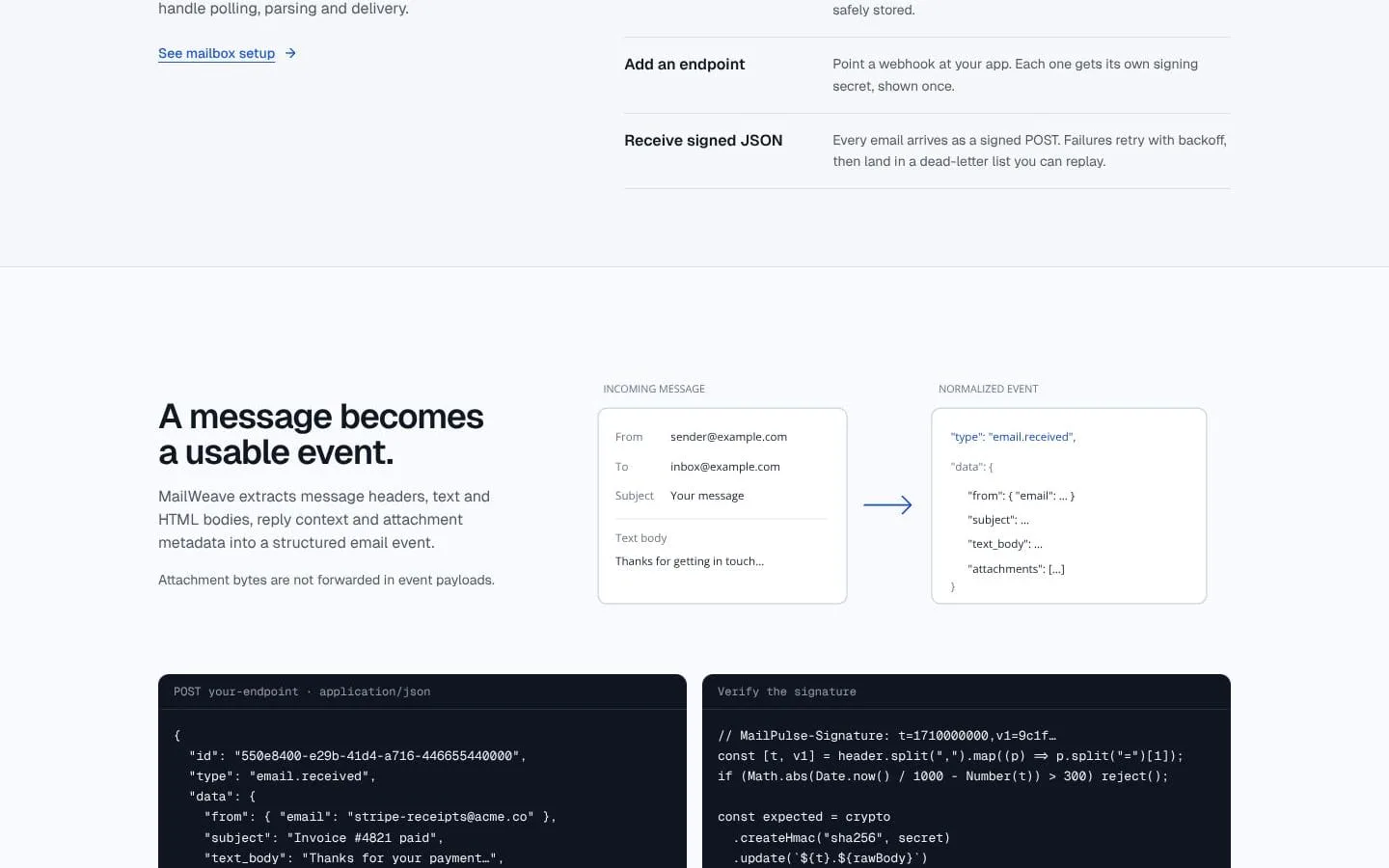
- MailWeave polls connected IMAP inboxes, parses message headers, text and HTML bodies, reply context, and attachment metadata, then stores a structured event.
- Result
- New email is represented as structured JSON; attachment bytes are not included.
- Why
- A consistent event format is easier for applications to process than raw mailbox messages.
- Problem
- Email events need to reach the right application services.
- How it works
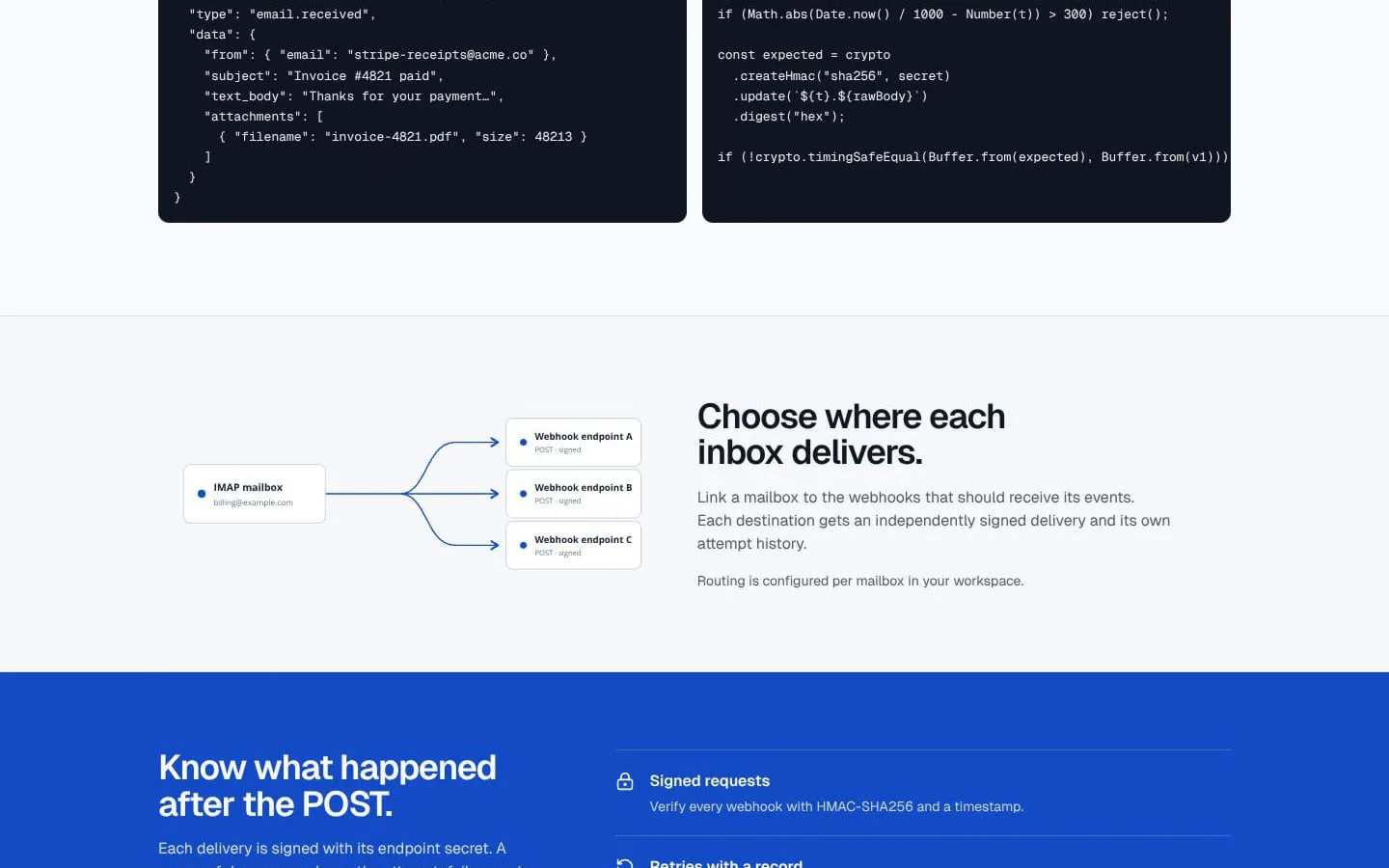
- Users link each mailbox to selected webhook destinations; each destination receives its own signed delivery.
- Result
- Inbox events reach selected application endpoints through POST requests.
- Why
- Per-mailbox routing directs events to the endpoints that need them.
- Problem
- Webhook consumers need to verify request authenticity.
- How it works
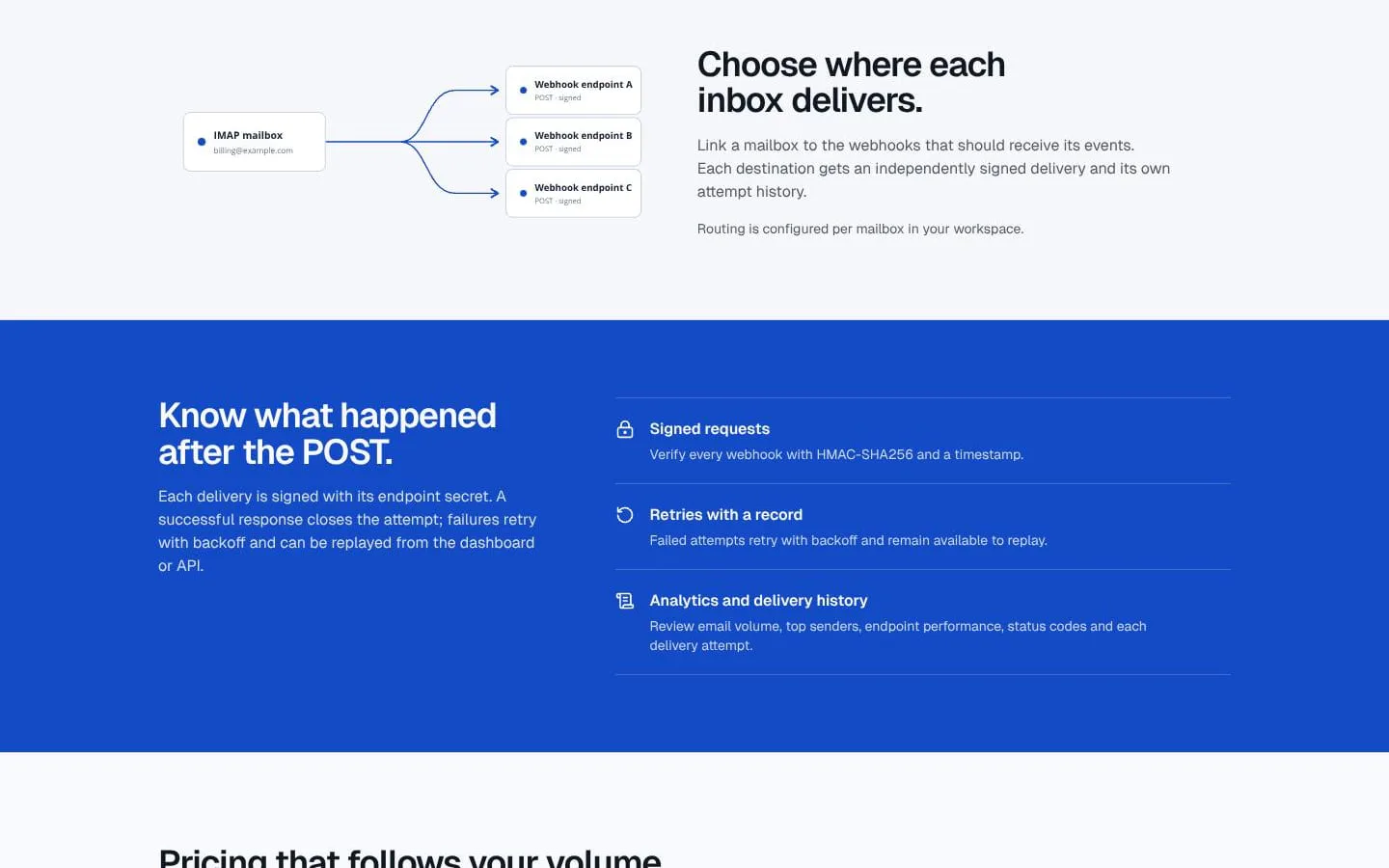
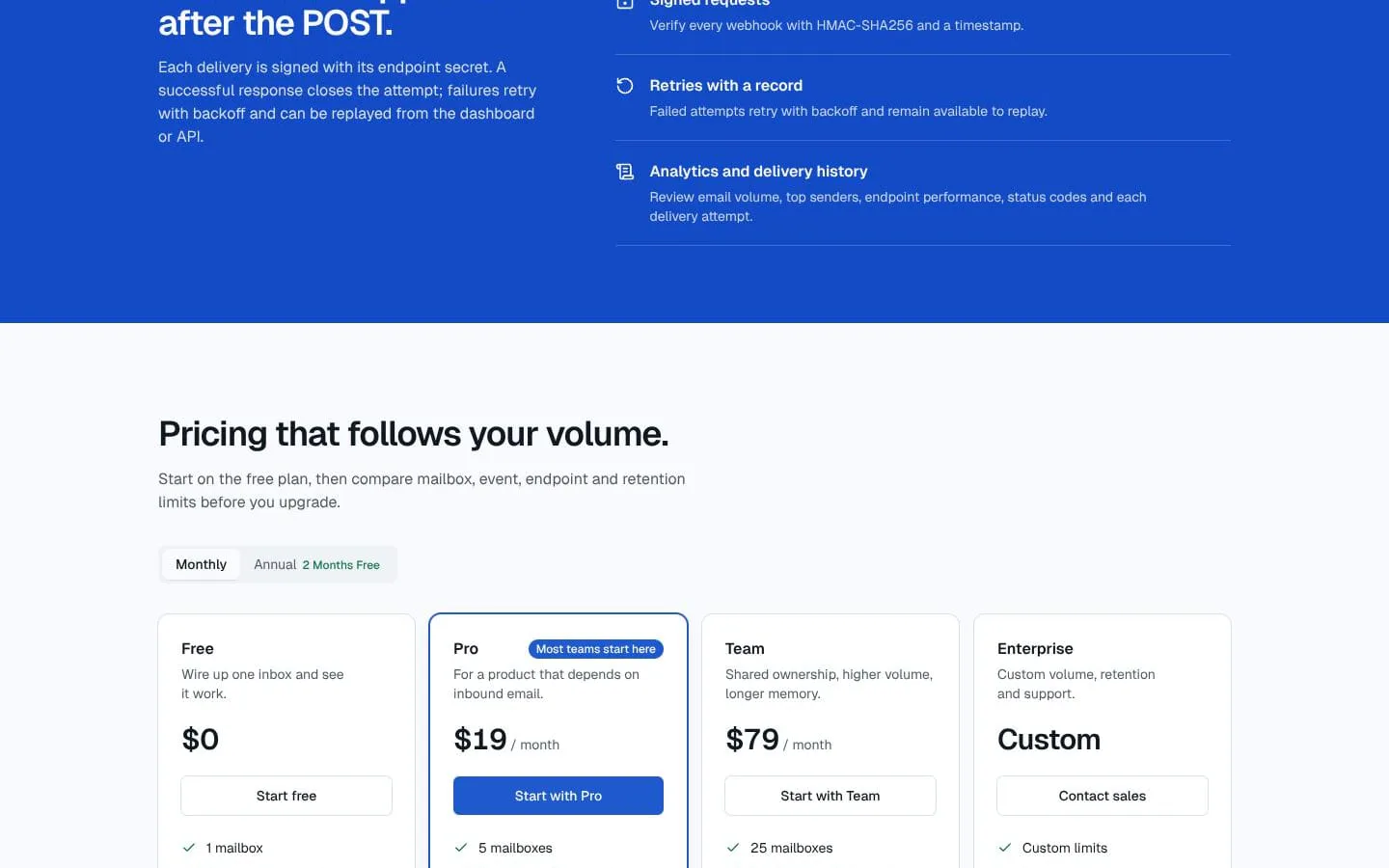
- MailWeave signs deliveries with an endpoint-specific secret using HMAC-SHA256 and a timestamp.
- Result
- Applications can check that webhook requests are authentic and recent.
- Why
- A timestamp and signature let endpoints verify the request against the raw body and reject stale or invalid deliveries.
- Problem
- Endpoints may be unavailable when a delivery arrives.
- How it works
- Failed deliveries retry with increasing delays; after the final attempt they enter a dead-letter state and can be replayed from the dashboard or API.
- Result
- Teams can inspect attempts and replay deliveries after restoring their endpoint.
- Why
- Retrying and retaining failed attempts avoids silently discarding delivery failures.
- Problem
- Teams need visibility into email and webhook activity.
- How it works
- The dashboard provides analytics and delivery history, including email volume, top senders, endpoint performance, status codes, and delivery attempts.
- Result
- Teams can review activity and diagnose endpoint behavior.
- Why
- Operational records help teams investigate processing and delivery issues.
Product questions
What does MailWeave do?
MailWeave connects to IMAP inboxes, turns new messages into structured email events, and sends them as signed webhooks to chosen endpoints.
Who is MailWeave for?
Developers and product teams that need to route inbound email into applications through structured events and signed webhooks.
Screenshots