Build in public
Build in Public: 10 Real Examples for Startup Founders
Learn how to build in public with 10 real examples from X, LinkedIn, and Buildside, plus practical post ideas for feedback, progress, and product updates.
By Uriel Bitton · · 7 min read

The short answer
Building in public means sharing real product progress while people can still influence it. These ten examples show how founders use problems, demos, metrics, setbacks, and follow-ups to give readers a useful reason to respond.
Building in public means sharing real product progress while people can still influence it. Useful updates show a problem, a decision, or a result and give readers a concrete way to respond. You can start with an unfinished product and a small audience.
These ten recent examples from X, LinkedIn, and Buildside show different ways to do that. Each pairs a complete post screenshot with a practical idea for your next post. The aim is to make your work understandable and invite a useful conversation.
What makes a build-in-public post useful?
Look for three things: something that happened, enough context to understand it, and a next step for the reader. A screenshot helps when it supports that story. A milestone needs a definition. A question needs enough detail for someone to answer.
The examples below illustrate posting formats, rather than proven growth tactics. Figures and product claims are the authors’ own; a post alone cannot establish what caused signups or sales.
1. Share the problem that started the product
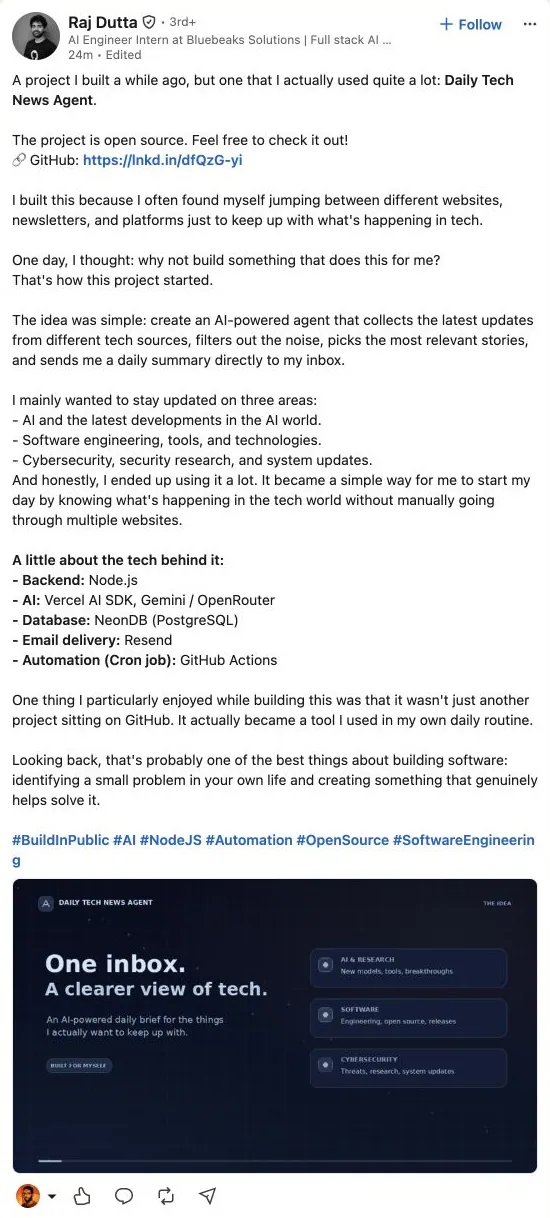
Screenshot · Raj Dutta on LinkedIn · November 1, 2026
Raj Dutta introduces his Daily Tech News Agent by explaining the habit behind it: jumping between websites and newsletters to keep up with technology. His post then connects that frustration to a tool he says he uses himself.
That gives readers a way into the product before they reach the technical details. Someone with the same routine can recognise the problem and question whether the proposed solution would help. You don’t need a dramatic origin story; an ordinary inconvenience is enough.
Try it: Describe the task you kept repeating, what made it frustrating, and the smallest thing you built to improve it.
2. Publish a series people can follow
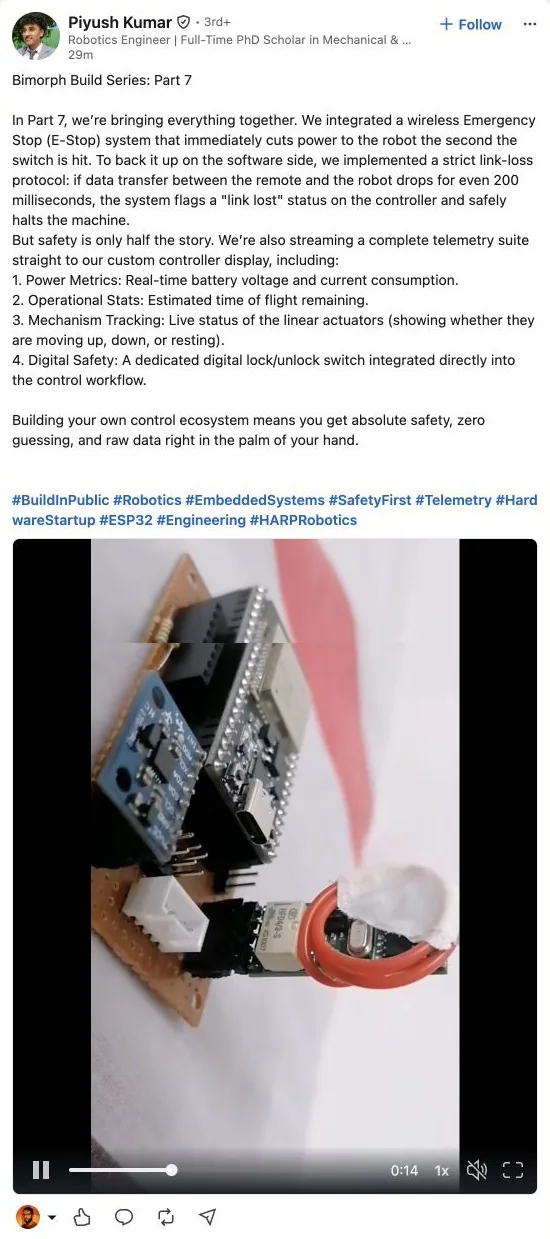
Screenshot · Piyush Kumar on LinkedIn · November 1, 2026
Piyush Kumar labels his robotics update as part seven of the Bimorph Build Series. This instalment describes an emergency stop, a response to lost connections, and information displayed on a custom controller. A video accompanies the post.
The numbered format places a specific piece of work inside a continuing project. Readers can follow one instalment without needing the entire backstory, while returning readers have something new to inspect. Each instalment makes a larger project easier to understand through one concrete improvement.
Try it: Give each update a number, show one working component, and explain what you’ll tackle next.
3. Invite people to use an early version

Screenshot · Sri Venkat Chennu on LinkedIn · November 1, 2026
Sri Venkat Chennu’s Epochs post names a clear audience: aspiring AI engineers preparing for interviews. It describes practice interviews and study features, then offers a link to try the product and requests feedback. The author says no account is required.
This gives readers an action beyond congratulating the builder. A person preparing for interviews can test the experience against an immediate need. For your own launch, make the feedback request narrower still: ask which question felt unrealistic or where the next step became confusing.
Try it: State who the early version serves, link to one usable workflow, and ask about a specific part of the experience.
4. Put a measurable challenge on the record
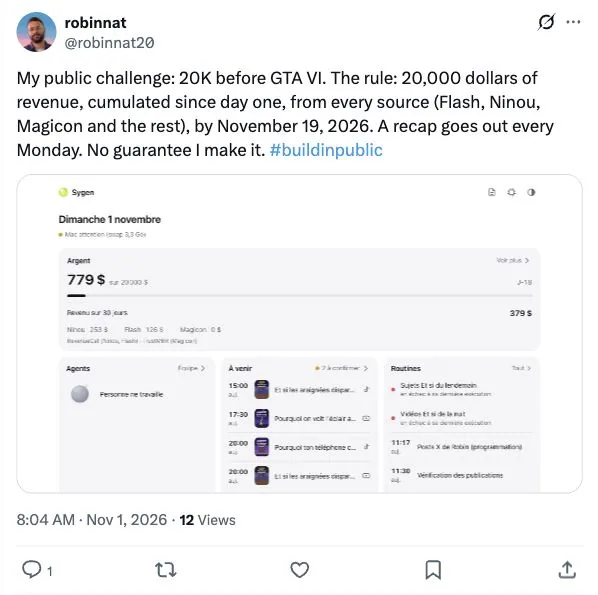
Screenshot · robinnat on X · November 1, 2026
On X, robinnat sets a $20,000 cumulative revenue target with a November 19, 2026 deadline. The post names the projects included and promises a recap every Monday. It also acknowledges that the target might be missed.
A goal becomes easier to follow when readers understand the measure, scope, deadline, and reporting rhythm. Here, the target describes cumulative revenue across projects; it should not be read as monthly recurring revenue or a result already achieved. That distinction keeps an ambitious challenge understandable.
Try it: Pick a measure you can report consistently and explain what counts before posting your first progress update.
5. Share numbers alongside what you don’t know
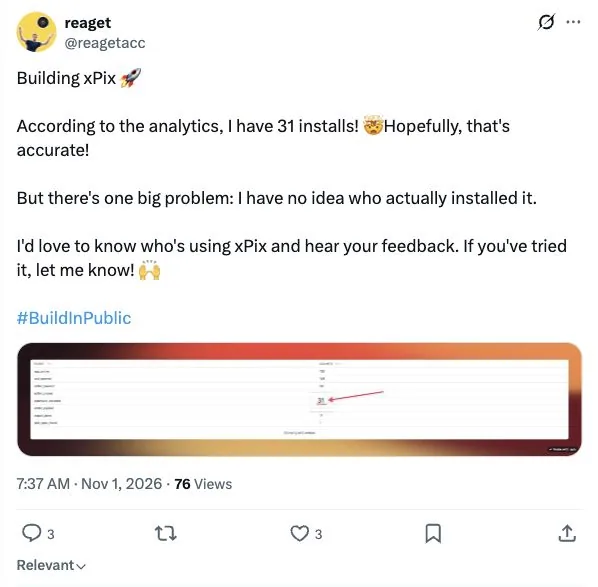
Screenshot · reaget on X · November 1, 2026
The builder behind xPix reports 31 installs, while openly questioning whether the analytics are accurate. The same post says they don’t know who installed the tool and invites users to identify themselves and share feedback.
That combination is more useful than a dashboard alone. The number gives context; the uncertainty reveals the next learning problem. A small milestone can make a good post when you explain what it does and doesn’t tell you. Installs, active use, paying customers, and revenue answer different questions.
Try it: Share one number, define it, and name the question you still need users to help answer.
6. Show the day the demo didn’t work
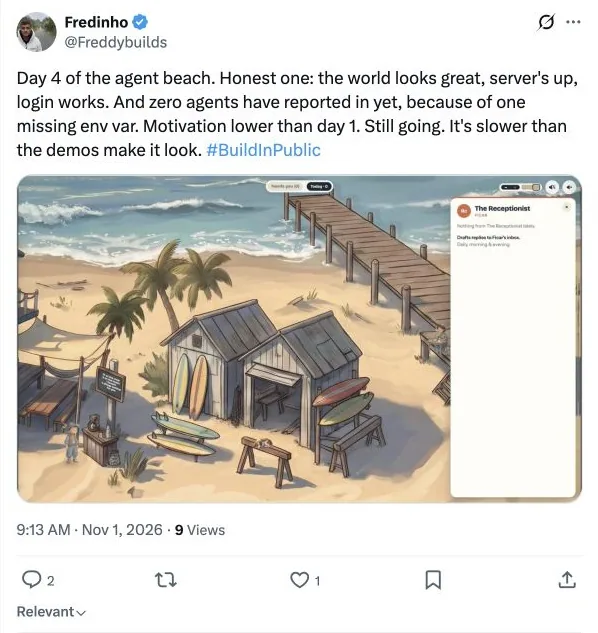
Screenshot · Fredinho on X · November 1, 2026
Fredinho’s fourth-day update describes an agent project whose world, server, and login are working, but whose agents haven’t appeared because of a missing environment setting. The post also admits that motivation has dropped.
The concrete blocker gives the update substance. Readers can understand the gap between an attractive interface and a working system, and someone with relevant experience may recognise the problem. You can share that lesson without exposing credentials or private configuration. A later post explaining the fix would make the sequence more useful.
Try it: Explain what works, what is stuck, and which assumption you’re checking next.
7. Ask for help with a real product decision
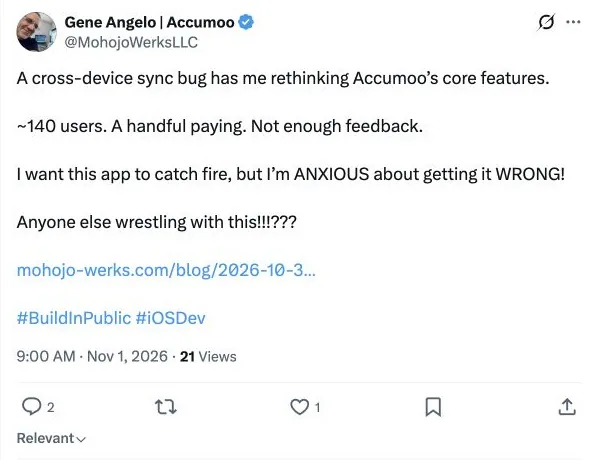
Screenshot · Gene Angelo on X · November 1, 2026
Gene Angelo says a cross-device sync bug has prompted him to reconsider Accumoo’s core features. He reports roughly 140 users, a few paying customers, and too little feedback to feel confident about the next move.
This reveals a decision while it is still open. Other builders can respond to the tension between maintaining a feature and simplifying the product. To make this format even stronger, put the alternatives in front of readers and ask which tradeoff affects their own use. General encouragement cannot settle a product decision.
Try it: Describe the evidence, name the options, and ask a question that could change what you build.
8. Explain why you changed direction
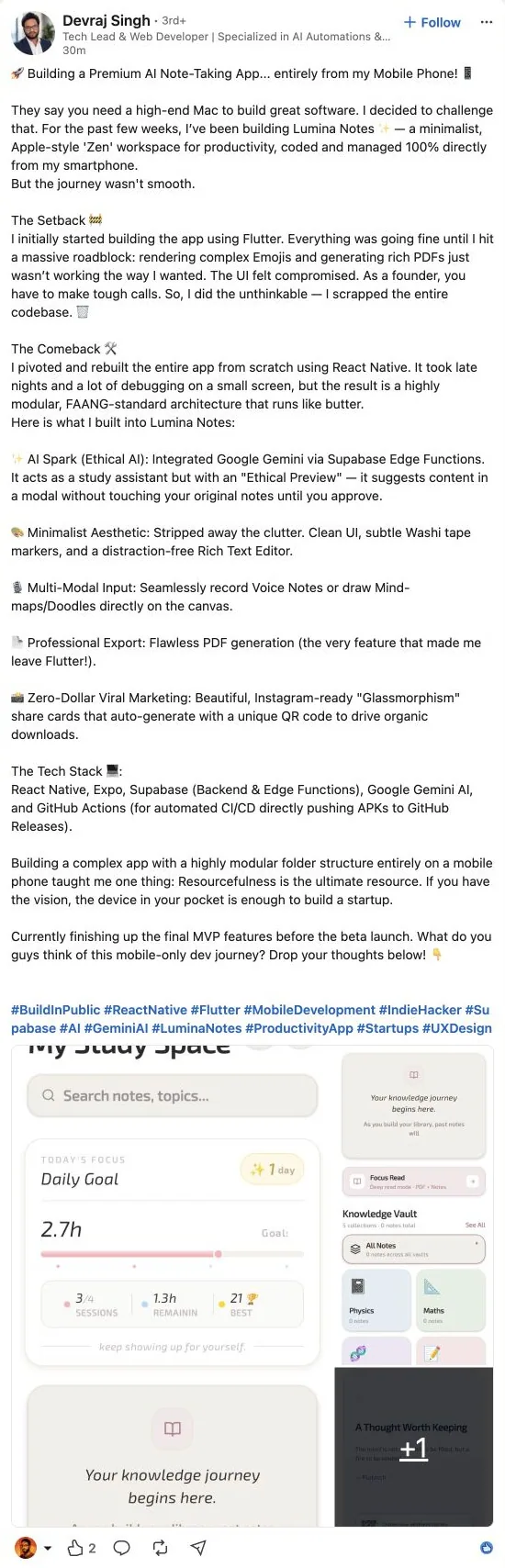
Screenshot · Devraj Singh on LinkedIn · November 1, 2026
Devraj Singh’s Lumina Notes post describes abandoning a Flutter implementation and rebuilding with React Native after problems with emoji rendering and PDF export. The wider story is about building a note-taking app from a smartphone.
The useful part is the connection between a user-facing requirement and a technical decision. Readers can assess the reasoning because the requirement, failed approach, and replacement are all visible. A change-of-direction post should explain the constraint and what improved, while acknowledging the cost of starting again. The same format works for a pricing change or a smaller launch scope.
Try it: Explain your original choice, the requirement it struggled with, and why you chose a different route.
9. Give your community something to build
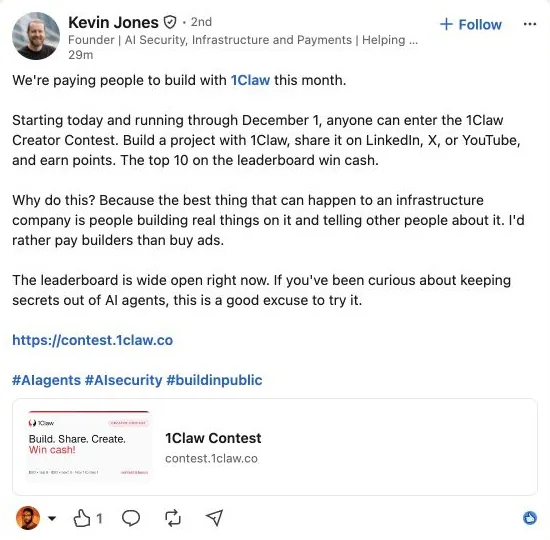
Screenshot · Kevin Jones on LinkedIn · November 1, 2026
Kevin Jones invites people to build projects with 1Claw and share them publicly through a creator contest. His post explains why he wants builders making real things with the infrastructure and showing their work to others.
This expands participation beyond watching the founder’s updates. A defined activity gives people a reason to try the product and bring back examples of their own. You don’t need a cash prize to borrow that idea: a small challenge, shared demo session, or guided experiment can provide a concrete starting point.
Try it: Propose one achievable project, explain what participants should share, and offer useful feedback on what they make.
10. Close the feedback loop, as Buildside does
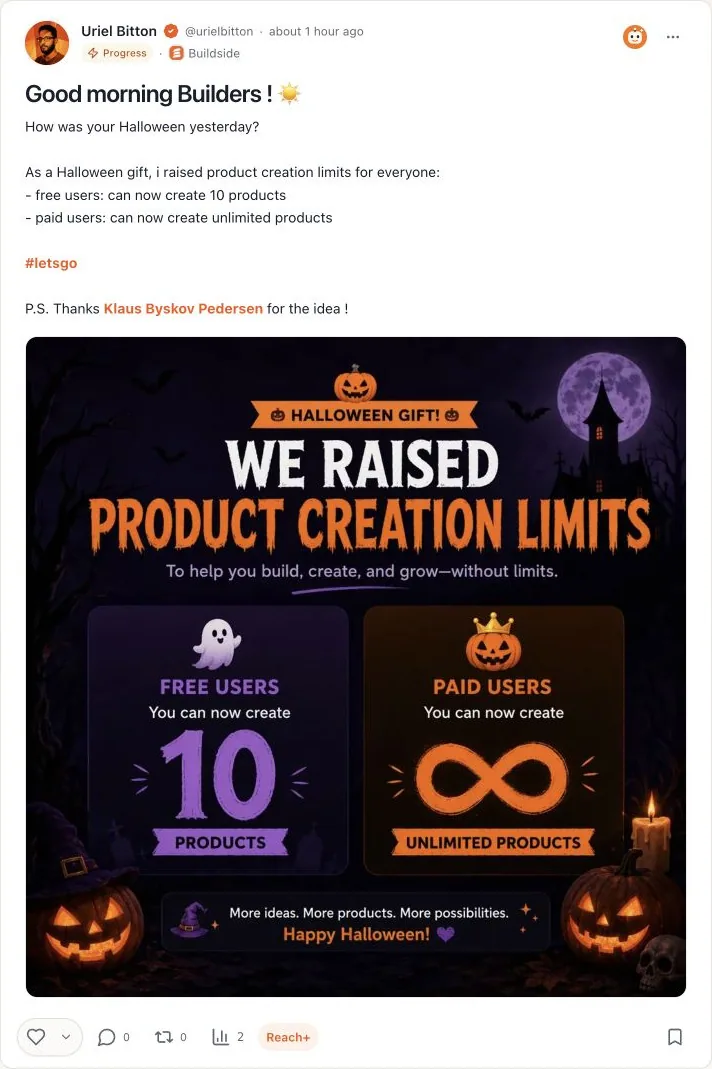
Screenshot · Uriel Bitton on Buildside · November 1, 2026
Buildside’s own November 1 update announces higher product creation limits: ten products for free users and unlimited products for paid users. Uriel Bitton ends the post by crediting Klaus Byskov Pedersen for the idea.
This completes a sequence worth borrowing: someone suggests a change, the builder acts, and the public update recognises the contribution. It also tells existing users exactly what changed for them. Buildside is the publisher of this article, so this is a first-party example of the format, rather than independent evidence of its results.
Try it: Link your next release update to the feedback behind it, credit the contributor when appropriate, and explain what users can do now.
Choose one update you can share this week
Start with work already on your desk: a confusing screen, a first customer conversation, a feature you removed, or a suggestion you acted on. Choose the format above that fits it.
Show the evidence, explain the decision, and give people one useful way to respond. Then return with what happened next. That follow-up turns separate updates into a project people can understand over time.
You can keep that record in the Buildside founder feed and use the Build in Public guide to plan your next update.
Examples checked on November 1, 2026. X and LinkedIn posts were found through #buildinpublic searches; the Buildside example comes from its founder’s public product update. Screenshots show the complete post cards, including media and reaction controls, and link to the originals. Cover illustration generated with AI.
A note from Uriel Bitton
I share practical lessons from building Buildside and learning alongside SaaS founders.
Keep building with us
Get practical founder lessons and product updates in your inbox.