




















Explore Tags
Explore startup hashtags and build-in-public topics
Buildside hashtags help you discover startup community conversations by topic. Use Explore Tags to search relevant terms and find posts about building in public, SaaS products, and product feedback. Open a topic to read the discussion and discover the founders contributing to it. Tags give you a starting point when you know the subject but not the right person to follow.
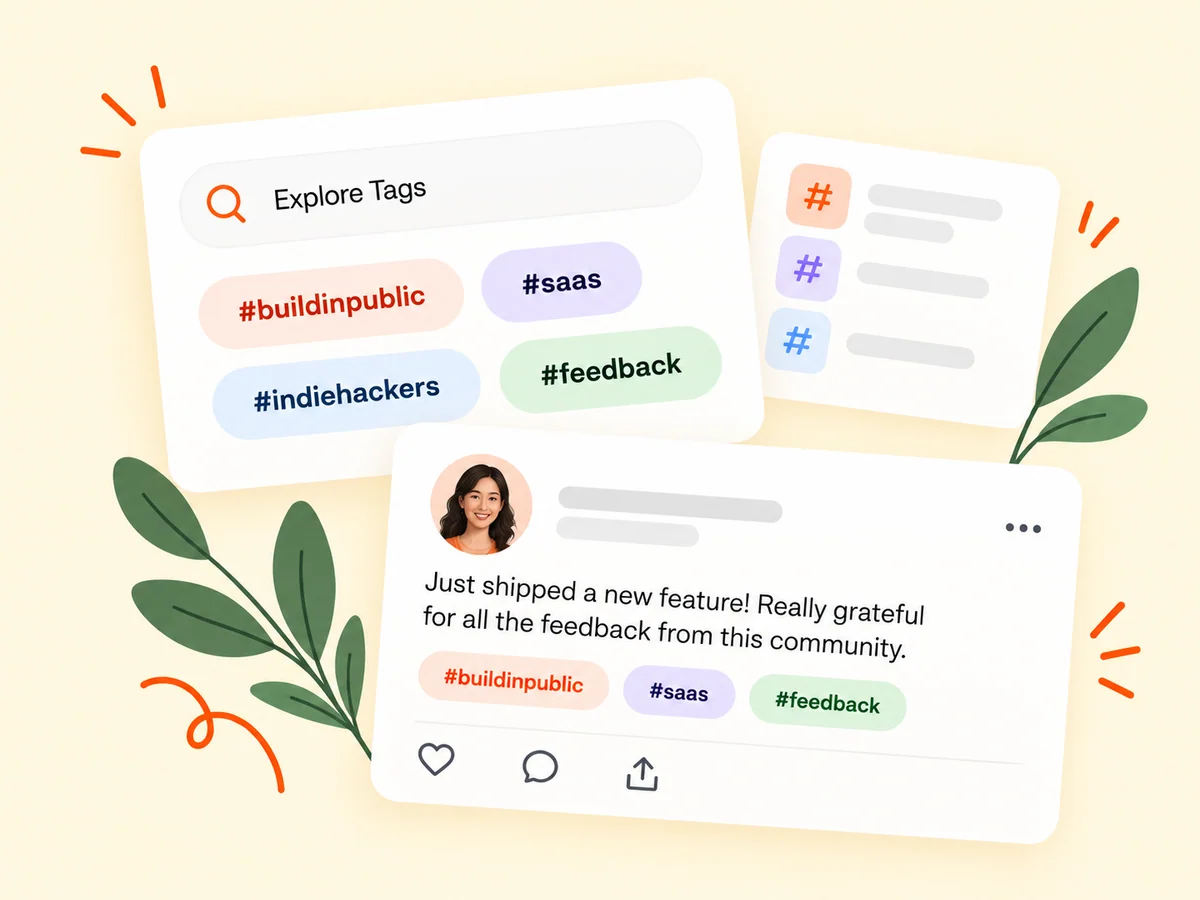
A closer look at Explore Tags
A hashtag connects a post or discussion with a subject people can explore. Use a term that accurately describes the work, then let the post provide the substance. Buildside’s tag directory supports topic discovery across public community content. Popular or recently active tags describe activity within Buildside; they are not a report of trending hashtags across every social platform.
Explore Tags organizes public conversations around the subjects people mention in their posts and discussions. You can search the directory and use its available sorting options to choose an entry point. A tag identifies a topic connection, not a guarantee that every result contains the answer you need. Read the actual post and surrounding discussion before deciding what is relevant.
Make it useful
Read startup discussions behind a hashtag
Open a tag to read the posts associated with it. Look for concrete experiences, questions, and explanations rather than assuming every tagged post serves the same purpose. A topic about product feedback might contain both a request for help and a lesson from a completed test.
Use the sorting context to understand what you are seeing. The directory distinguishes popularity, recent activity, and newer indexed topics through its displayed definitions. A tag can also connect to a post through a comment or reply, so the relevant context may be in the discussion rather than the opening text. Look for the passage that relates to your question.
Explore the feed
Keep building
Discover relevant founders through shared topics
When a tagged conversation introduces a useful perspective, open the founder’s profile and explore their other work. Follow relevant founders so you can return to future updates without relying on the same search. Tags help with discovery; following helps you keep up over time.
Treat a useful tagged post as an introduction to a person’s work. Open the profile and see whether their other updates address problems you care about. A single topic match may be temporary, while a consistently relevant perspective can be a good reason to follow. This connects topic-based exploration with a more deliberate reading routine.
Explore following
From idea to action
How to get started
Browse or search hashtags
Open Explore Tags and look for topics connected to your current interests or product challenges. Search for the subject you want to investigate and try a closely related term when needed. A specific product problem usually gives you a clearer reading goal than a broad startup label.
Read a topic’s posts
Open a tag page and review the context of the conversations it contains. Read the selected tag’s posts with their context and sorting in mind. If a result relates through a comment, inspect that discussion before judging the match.
Continue the useful connections
Reply when you can contribute, save a useful post, or follow a founder whose work you want to revisit. Follow useful sources or save a relevant post when you want to return. When publishing your own update, choose hashtags that describe the actual topic rather than unrelated popular terms.
Find your starting point
Use hashtags to research a startup or product question
Explore hashtags when you have a product question but do not yet know whose work to read. A founder reviewing onboarding could start with relevant topics, open useful posts, and follow the people explaining similar decisions. Read the full discussion before drawing a conclusion. A tag brings material into view, while the post and its replies supply the context needed to judge relevance.
Choose what to read based on the question you brought. A concrete account of an experiment may be useful for planning a test, while an unanswered question may be a chance to contribute your own experience. Tags supply the connection; your purpose determines which conversation matters.
An example to adapt
Example: research a first-use workflow through tags
Suppose you want to understand how founders introduce a new user to their product. Search a relevant onboarding topic, then read the posts and discussions that describe actual tasks. Compare the audiences and the stage of each product before applying the lesson.
You find one useful explanation and save it, then follow its author after reading more of their work. This hypothetical path moves from a broad topic to a specific source of learning without assuming that a popular tag identifies the best advice for your product.
Make the most of it
Choose startup hashtags that accurately describe the post
Use hashtags as accurate descriptions of the subject, not as promises of extra reach. Choose terms that match the product work or question you are sharing and make the post understandable without the tags. When exploring popular topics, check the actual conversation. A busy tag can introduce relevant founders, but popularity alone does not make every tagged post useful to your current task.
Interpret topic activity with the directory’s definitions in mind. A busy tag may contain several kinds of conversations and different levels of detail. Look for evidence, context, and a relevant question instead of treating visibility within a topic as proof of expertise.
Good questions, clear answers
About Explore Tags
How do I find relevant startup hashtags on Buildside?
Open Explore Tags, search for a topic, and browse the public conversations associated with it. The directory offers Popular, Recently active, and Newest views for community discovery. Read the posts and replies to assess relevance, then follow founders whose work interests you. These views describe Buildside activity, rather than global search trends or popularity on other networks.
Do tags replace founder or product search?
They provide a different entry point. Use tags for conversations around a topic and the directories for exploring people or products. A topic result can lead you to a relevant person or product, but it should not be treated as a complete directory of everyone working in that area.
How should I use hashtags in my own updates?
Choose tags that accurately describe the post’s subject. Relevant tags help readers understand the topic without distracting from the update itself. Write the update clearly before adding tags. A hashtag should help identify the subject already explained in the text, not introduce a different topic solely to attract attention.
Why might a tagged result match through a comment?
Buildside supports hashtags in posts, comments, and replies. A discussion can introduce a relevant topic even when the original post does not use that tag. Read the matching context to understand the connection, and distinguish the commenter’s observation from the original founder’s statement.
What do the tag-directory sorting options mean?
The directory explains its ranking context: Popular relates to indexed public-post counts, Recently active uses post-publication activity, and Newest relates to the earliest currently indexed public post for a tag. These views help exploration, but they are not a complete history of when a topic first existed or every conversation about it.
Explore Tags